

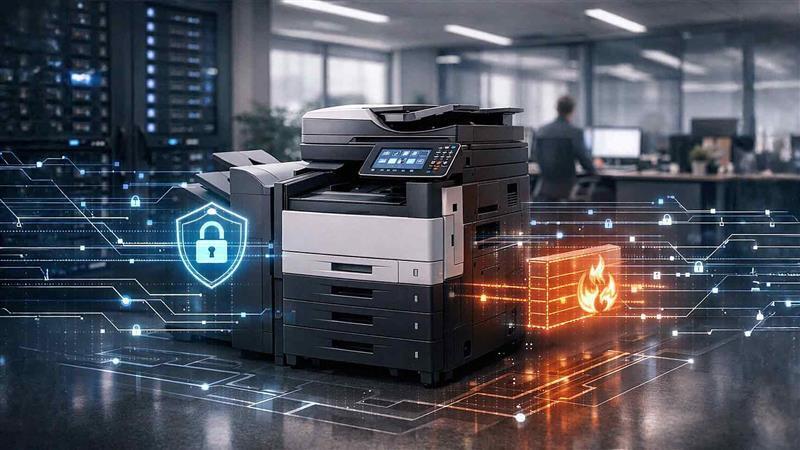
When businesses think about cybersecurity, the conversation usually centers on servers, firewalls, and email systems. Copiers and printers rarely make the list. That oversight creates real risk — and in 2026, it's a risk that cybercriminals are actively exploiting.
Modern office copiers and multifunction printers (MFPs) are not simple output devices. They are fully networked machines running operating systems, storing documents on internal hard drives, and integrating with cloud services, email servers, and document management platforms. They process some of your most sensitive business documents every single day.
Ignoring office copier security risks leaves a quiet but significant gap in your overall security strategy. This article walks through the most important risks, explains why they matter, and gives you a clear path forward.
Why Copiers and Printers Are a Serious Cybersecurity Target
The numbers tell the story. Between July 2021 and April 2022 alone, cybercriminals conducted approximately 65,000 attacks through the Windows Print Spooler application, according to research cited by TechRepublic. Security researchers have also disclosed vulnerabilities — like the "Printer Shellz" exploits — that impacted at least 150 models of HP multifunction printers, exposing them to remote code execution attacks.
These are not hypothetical threats. Printers and copiers are routinely overlooked in security audits, which makes them attractive entry points for attackers looking for the path of least resistance into a business network.
The bottom line: if your copier or printer is on your network and not properly secured, it is a liability.
How Modern Copiers Store Data
Before getting into specific risks, it helps to understand what your copier is actually doing with your data. Many business copiers and multifunction printers store data temporarily or permanently during normal operations.
Stored data may include:
- Scanned documents
- Print jobs
- Fax transmissions
- Email attachments and routing information
- Internal address books
- User credentials and authentication logs
Some devices retain images of documents on internal hard drives long after the job is complete. If those drives are not encrypted or wiped, that stored data becomes a security liability — one that may sit quietly on the device for years.
Copier data security has to be treated with the same seriousness as server or endpoint security. The data is just as sensitive. The exposure is just as real.

Risk 1: Unencrypted Stored Data
Older or improperly configured devices may store data without encryption. That creates exposure in several scenarios:
- When devices are replaced or upgraded
- When equipment is returned at lease end
- When units are sold or recycled
- When unauthorized users gain physical access to internal storage
Without encryption, sensitive business or customer information may be retrievable with basic forensic tools — tools that are freely available online. Data encryption at rest is a foundational requirement for business print security, and it should be verified during setup, not assumed.
Risk 2: Unsecured Network Access
Your copier connects directly to your network. If it is misconfigured, it may expose:
- Open network ports
- Default or unchanged admin passwords
- Outdated, unpatched firmware
- Insecure remote management interfaces
Network printer vulnerabilities can serve as entry points into your broader IT environment. The National Institute of Standards and Technology (NIST) is clear that unmanaged network-connected devices increase your attack surface and should be formally included in risk management processes.
Copiers should never operate as isolated devices outside IT oversight. If your IT team or managed services provider is not actively managing your print environment, that's a gap worth closing.
Risk 3: Default Credentials and Weak Passwords
Many printers and copiers ship with default usernames and passwords. Manufacturers use these for ease of setup — but if you never change them, you are essentially leaving the front door unlocked.
Attackers who gain access through default credentials can:
- Take administrative control of the device
- Change configuration settings
- Access stored documents
- Use the device as a pivot point into other parts of your network
Strong, unique passwords and role-based access controls are essential for copier data security. This applies to every networked device in your office, and copiers are no exception.
Risk 4: Unsecured Print Jobs
Traditional print environments send documents directly to output trays, where they sit until someone picks them up. In a busy office, documents can sit for minutes — or hours. That creates direct physical exposure for:
- HR records and employee data
- Financial reports and statements
- Legal documents and contracts
- Healthcare information
- Client proposals and confidential communications
Anyone walking past the device can view or walk away with sensitive material. Secure print release solves this problem by requiring users to authenticate at the device — via PIN, badge, or mobile app — before a document is printed. The job sits in a queue, not in the output tray, until the right person is standing in front of the machine.
This single feature can dramatically reduce your physical document exposure risk.
Risk 5: Firmware Vulnerabilities
Like any network-connected device, copiers require firmware updates to stay secure. Outdated firmware may contain:
- Known, publicly documented vulnerabilities
- Unpatched security flaws
- Deprecated or insecure encryption protocols
- Bugs that attackers can exploit remotely
The HP "Printer Shellz" disclosures in 2021 are a clear example of how serious firmware vulnerabilities can be — those flaws allowed attackers to execute code remotely on affected devices. Firmware updates were the fix. Organizations that had not applied them remained exposed.
Firmware management is consistently neglected in print environments. Printer security risks grow over time when updates are ignored. Routine firmware review should be part of your IT maintenance calendar, whether that's managed in-house or by a managed IT partner.
Risk 6: Insecure Scan-to-Email and Cloud Features
Multifunction printers today do far more than print. They integrate with:
- Email servers
- Cloud storage platforms (Google Drive, SharePoint, OneDrive)
- Document management systems
- Workflow automation tools
Improper configuration of these features can result in:
- Documents transmitted without encryption
- Misrouted files sent to wrong recipients
- Unauthorized access to connected email accounts
- Cloud storage misconfigurations that expose shared documents
Scan-to-email features must use secure protocols (like TLS) and require proper authentication controls. Without careful setup, these integrations create compliance concerns — particularly for businesses in regulated industries like healthcare, finance, or legal services.
Risk 7: End-of-Lease Data Exposure
When your copier lease ends, the device goes back to the vendor. What happens to the data stored on its hard drive?
If the drive is not properly wiped, encrypted, removed, or physically destroyed before return, that data may remain accessible — to the vendor, to the next lessee, or to anyone who handles the device down the chain.
This is a frequently overlooked risk. Ask your copier vendor directly: what is the data sanitization process at end of lease? Get the answer in writing. If you own your equipment outright, establish a documented process for drive wiping or destruction before disposal.
Building a Stronger Print Security Strategy
Addressing these risks does not require a complete overhaul. A few targeted steps make a meaningful difference:
- Audit your devices. Know what copiers and printers are on your network, what firmware version they're running, and how they're configured.
- Enable encryption. Ensure data at rest on device hard drives is encrypted.
- Change default credentials. Every device should have a unique, strong admin password.
- Enable secure print release. Require authentication before documents print.
- Schedule firmware updates. Treat copier firmware the same way you treat server patching.
- Review scan and cloud integrations. Confirm all integrations use encrypted protocols and appropriate access controls.
- Document end-of-lease procedures. Know what happens to your data when equipment is returned or decommissioned.
Working with a managed IT or managed print services provider ensures these steps are handled consistently — not left to chance.

Frequently Asked Questions About Copier and Printer Security
Do office copiers really store sensitive data?
Yes. Most modern multifunction printers and copiers have internal hard drives or flash memory that store images of scanned, printed, faxed, and emailed documents. Unless the device is configured to purge this data automatically — or the drive is encrypted — that information can potentially be retrieved.
How do I know if my copier's hard drive is encrypted?
Check the device's security settings through its administrative console, or contact your copier vendor directly. If you are not sure how to access those settings, your IT team or managed services provider should be able to audit the device and confirm its security configuration
What is secure print release, and do I need it?
Secure print release is a feature that holds print jobs in a queue until the user authenticates at the device — typically with a PIN, ID badge, or mobile app. It prevents sensitive documents from sitting unattended in an output tray. If your team regularly prints HR, legal, financial, or client documents, secure print release is worth implementing.
What should I do at the end of a copier lease?
Before returning leased equipment, ask your vendor about their data sanitization process. Depending on the device and vendor, options may include remote hard drive wipe, physical drive removal, or certified destruction. Get documentation confirming the process was completed.
Are newer copiers more secure than older ones?
Generally, yes — newer devices from manufacturers like Xerox, Kyocera, and HP include more robust built-in security features, including automatic encryption, secure boot, intrusion detection, and better firmware update processes. That said, even new devices need to be properly configured to be secure. Hardware alone is not enough.
How often should printer firmware be updated?
Firmware should be reviewed and updated as part of your regular IT maintenance cycle — at minimum quarterly, or immediately when the manufacturer releases a security patch. Treat copier firmware the same way you treat updates for servers and workstations.
Should my copiers be included in my cybersecurity policy?
Absolutely. Any networked device that processes sensitive business data should be included in your cybersecurity policy, access control framework, and incident response planning. Copiers and printers are network endpoints, full stop.
The Bottom Line on Print Security
Copiers and printers are not passive office equipment. They are networked devices that store data, connect to cloud services, and communicate with your broader IT infrastructure. When they are misconfigured, unpatched, or unmanaged, they represent real exposure — the kind that attackers are actively looking for.
The good news is that most of these risks are manageable with the right policies, configurations, and support in place.
At AIS, we work with businesses across Las Vegas, Southern California, and surrounding regions to make sure every part of their technology environment — including their print infrastructure — is secure, up to date, and properly managed. We carry Xerox, Kyocera, and HP devices and provide the support and configuration expertise to keep them running safely.
Ready to take a closer look at your print environment?
Schedule a Free Consultation — We'll help you identify gaps and build a smarter approach to copier and printer security.
Contact AIS Today — Reach our team directly to talk through your specific needs.
Topics:

