

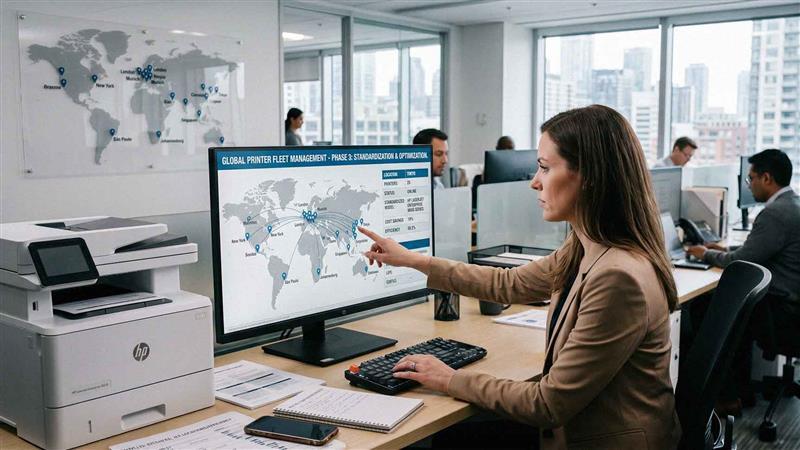
Most multi-location businesses do not plan their print environment from the start.
Devices are added as needed. One office buys a printer locally. Another upgrade to a different brand. A third keeps older equipment longer than expected.
Over time, this creates:
• Multiple Printer Brands And Models
• Inconsistent User Experience
• Higher Support Complexity
• Increased Supply Costs
Without a clear strategy, managing printers across locations becomes inefficient.
Standardizing your printer fleet solves this problem by creating consistency across your organization.
What Printer Fleet Standardization Means
Printer fleet standardization means aligning devices, configurations, and management processes across all locations.
This includes:
• Using A Consistent Set Of Devices
• Standardizing Features And Capabilities
• Aligning Service And Support
• Centralizing Management
The goal is to simplify operations while improving performance and cost control.

The Benefits of Standardizing Your Printer Fleet
Standardization creates measurable improvements. Key benefits include:
• Reduced Supply Costs Through Bulk Purchasing
• Simplified Maintenance And Support
• Consistent User Experience Across Locations
• Improved Visibility Into Print Usage
• Easier Training For Employees
Consistency reduces complexity.
Less complexity leads to lower costs and fewer issues.
Step 1: Audit Your Current Printer Environment
Start by understanding what you currently have.
Review:
• Number Of Devices At Each Location
• Device Types And Models
• Print Volume By Location
• Cost Per Print
• Device Utilization
This audit reveals inefficiencies and highlights where standardization is needed.
Step 2: Identify Your Core Device Types
Not every location needs the same device. However, most businesses can standardize around a small set of core models.
This may include:
• High Volume Multifunction Copiers For Central Areas
• Mid-Size Devices For Department Use
• Limited Desktop Printers For Specific Needs
Defining these categories creates structure.
It prevents unnecessary variation.
Step 3: Align Devices With Usage by Location
Each location may have different printing needs.
Standardization does not mean identical setups everywhere.
It means consistent categories applied appropriately.
For example:
• Larger Offices Use High-Capacity Devices
• Smaller Offices Use Compact Multifunction Printers
• Remote Locations Use Minimal Equipment
Aligning devices with usage ensures efficiency while maintaining consistency.
Step 4: Standardize Features and Capabilities
Beyond hardware, features should be consistent.
This includes:
• Print And Scan Capabilities
• Security Features
• Finishing Options
• User Interface Experience
Standardized features ensure employees can use devices easily, regardless of location.
Step 5: Consolidate Vendors and Service Agreements
Multiple vendors create complexity.
Standardizing vendors allows you to:
• Simplify Billing
• Improve Service Consistency
• Negotiate Better Pricing
• Streamline Support
Managing one provider is easier than coordinating several.
Step 6: Implement Centralized Print Management
Centralized management provides visibility across all locations.
This includes:
• Monitoring Print Usage
• Tracking Cost Per Print
• Managing Devices Remotely
• Generating Reports
Multi-location print management tools allow you to control your entire fleet from one platform.
Step 7: Standardize Supplies and Inventory
Different devices require different supplies. Standardization reduces supply complexity.
Benefits include:
• Fewer Toner Types To Manage
• Easier Inventory Control
• Lower Purchasing Costs
Supply management becomes more predictable.
Step 8: Apply Consistent Security Policies
Printers are part of your network. Security should be consistent across locations.
This includes:
• User Authentication Requirements
• Secure Print Release
• Network Access Controls
• Firmware Update Policies
Standardization improves security.
Step 9: Train Employees Across Locations
Consistency improves training.
When devices and processes are standardized:
• Employees Learn One System
• Support Requests Decrease
• Adoption Improves
Training becomes simpler and more effective.
Step 10: Plan for Scalability
Your printer fleet should support future growth.
Plan for:
• New Locations
• Increased Print Volume
• Changing Workflows
A standardized model makes expansion easier. New locations can follow the same structure without starting from scratch.
Common Mistakes When Standardizing Printer Fleets
Businesses often encounter challenges.
Common mistakes include:
• Trying To Standardize Too Many Device Types
• Ignoring Location Specific Needs
• Focusing Only On Hardware
• Overlooking Print Usage Data
• Not Planning For Growth
Standardization should balance consistency with flexibility.
How Managed Print Services Support Standardization
Managed Print Services provide the structure needed to standardize effectively.
This often includes:
• Print Environment Assessments
• Device Recommendations
• Centralized Monitoring
• Ongoing Optimization
AIS supports businesses across Las Vegas and Southern California with managed print services designed to standardize and optimize printer fleets across multiple locations.
Structured management simplifies operations.
How Data Drives Better Fleet Decisions
Data plays a key role in standardization.
Tracking metrics such as:
• Print Volume By Location
• Device Utilization
• Cost Per Print
• Supply Usage
What a Standardized Printer Fleet Should Feel Like
When your fleet is properly standardized:
• Devices Perform Consistently Across Locations
• Support Requests Decrease
• Costs Are Easier To Manage
• Employees Work More Efficiently
Printing becomes predictable.

How to Start Standardizing Your Printer Fleet
You can begin with a few practical steps:
• Conduct A Fleet Audit
• Identify Core Device Types
• Consolidate Vendors
• Implement Print Management Tools
These actions create the foundation for a scalable strategy.
Next Steps: Build a Standardized Print Strategy
If your printer fleet feels disorganized or difficult to manage across locations, AIS offers a Printer Fleet Standardization Assessment. This evaluation reviews your current devices, usage patterns, and service structure to create a consistent, scalable print strategy.
Standardization improves efficiency, reduces cost, and supports growth.
Topics:
