

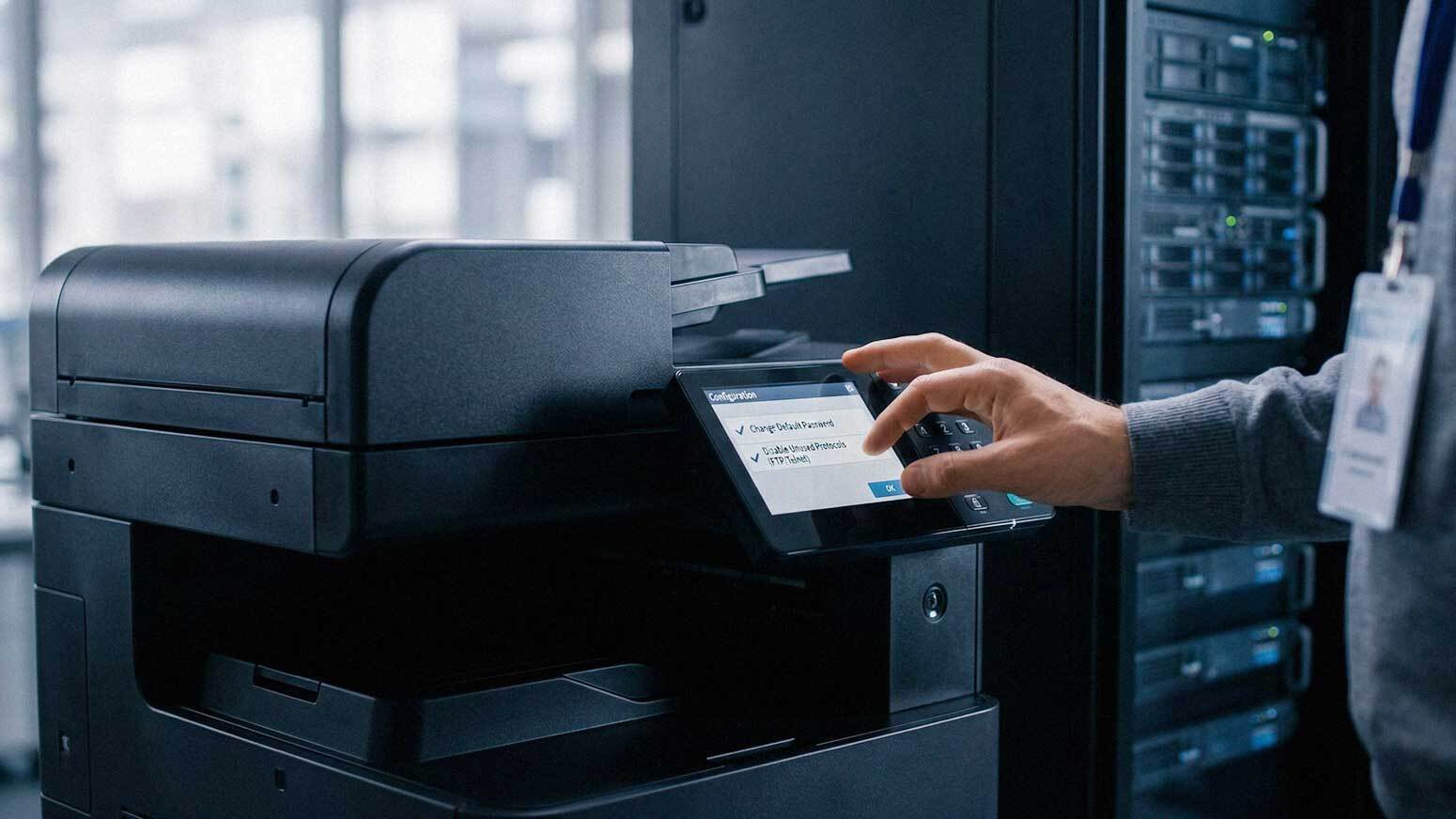
Most businesses spend serious time and money securing their laptops, servers, and networks. Printers and copiers? They get ignored. And that gap is exactly what attackers look for.
Modern office printers are not simple output devices. They are fully networked machines. They store documents on internal drives, process confidential files, connect to cloud services, and allow remote access from across the building — or across the world. Without proper security controls in place, your printer fleet is an open door into your business.
Here is a number that should stop you in your tracks: 61% of organizations have experienced data loss directly related to unsecured printing, according to research cited by CIO. And a separate Forbes analysis found that 35% of recent security breaches are tied to print security deficiencies.
That is not a minor IT footnote. That is a documented, measurable risk sitting on your network right now.
This guide walks you through 10 concrete steps to secure your print environment, written for business owners and IT decision-makers who want practical action — not vague advice.
What Makes Printers a Security Risk in the First Place?
Before jumping into the steps, it helps to understand why printers are vulnerable.
Multifunction printers (MFPs) and copiers handle sensitive information every single day — employee records, financial documents, contracts, health information, client data. Along the way, they often:
- Store documents temporarily on internal hard drives
- Connect directly to your business network
- Accept jobs from remote users and cloud services
- Allow administrative access through web interfaces
- Log and retain document metadata
If these devices are not properly configured, they can expose stored data, provide unauthorized access to your network, or serve as a launching pad for a broader attack. The National Institute of Standards and Technology (NIST) is clear: all network-connected devices must follow security best practices. Printers are not exempt from that standard.
The good news? Most print security vulnerabilities are preventable. You just need a structured approach.

Step 1: Identify Every Device in Your Print Environment
You cannot protect what you cannot see.
Start by building a complete inventory of every print-capable device connected to your network. That means:
- All office printers and multifunction copiers
- Desktop and personal printers
- Remote and home office devices used for business
- Any device connected through VPN or cloud print services
A surprising number of businesses turn up "shadow printers" during this process — old devices that were never decommissioned, personal printers plugged directly into the network, or forgotten units in break rooms and storage areas. Every single one of these is a potential vulnerability.
Once you have a full inventory, you have a clear baseline to work from.
Step 2: Change Default Settings and Credentials
This step is critical and routinely skipped.
Most printers ship with default administrator usernames and passwords. Those defaults are published online and are the first thing an attacker will try. Deploying a printer without changing the defaults is like installing a new lock and leaving the factory key under the doormat.
Immediately after deployment, every device should have:
- A unique, strong admin password (not "admin," not "1234")
- Unused ports and features disabled — including FTP, Telnet, and any protocols your business does not use
- Device names updated to something that identifies the unit without broadcasting sensitive information
These are small configuration changes that take minutes. They close some of the most commonly exploited vulnerabilities.
Step 3: Segment Printers on Your Network
Printers should not sit on the same network segment as your most sensitive systems. Network segmentation limits how far the damage spreads if a device is compromised.
Practical controls to implement:
- Place printers on a dedicated VLAN separate from workstations and servers
- Restrict printer access by department or user group — not everyone needs access to every device
- Apply firewall rules that govern which traffic can reach your print devices
The goal is to make your printers reachable by authorized users while keeping them isolated from your core infrastructure. If a printer is ever compromised, segmentation keeps that incident from spreading.
Step 4: Require User Authentication Before Printing
Open printing — where any user can send a job to any printer and walk away — creates real risk. Documents pile up in output trays, unattended, visible to whoever walks by.
Authentication controls fix this. Options include:
- PIN code release — users enter a code at the device before printing begins
- Badge or proximity card access — swipe to release
- User login credentials tied to your Active Directory or identity provider
Authentication does two things. It ensures that only authorized users can access specific devices, and it creates an audit trail of who printed what and when. That accountability matters both for security and for compliance.
Step 5: Encrypt Data in Transit and at Rest
Data moves constantly in a print environment — from workstation to print server, from print server to device, and into device storage. Any unencrypted segment of that journey is a potential interception point.
Protect your environment by enabling:
- Encrypted print job transmission using protocols like IPPS or TLS
- Secure communication settings that disable older, insecure protocols (like raw port 9100 printing in unprotected environments)
- Encrypted storage on device hard drives so that documents retained on the device cannot be read if the drive is removed
Encryption is not optional for businesses handling regulated data — healthcare, finance, legal, and government contractors all face requirements that touch print environments. But honestly, every business benefits from it.
Step 6: Use Secure Print Release
Secure print release is the workflow that ties authentication directly to output. A user sends a print job, but nothing prints until they walk to the device and authenticate.
The benefits go beyond security:
- Sensitive documents are never left unattended in output trays
- Abandoned print jobs do not accumulate — if someone forgets they sent a job, it expires without printing
- Print waste drops significantly, because users only print what they actually need
- You get full document-level accountability
For businesses handling confidential client documents, HR files, or any regulated information, secure print release is one of the highest-impact changes you can make.
Step 7: Keep Firmware and Software Updated
Printers run software. Software has vulnerabilities. Manufacturers release firmware updates to patch those vulnerabilities — but only your team can actually apply them.
Outdated firmware is one of the most common ways attackers gain access to networked devices, because many businesses simply never think to update their printers.
Build printer firmware into your regular IT maintenance schedule:
- Check for updates at least quarterly
- Subscribe to manufacturer security bulletins (Xerox, Kyocera, and HP all publish these)
- Test updates in a controlled environment before fleet-wide deployment if you have a large install base
If you work with a managed print provider, this should be part of your service agreement. Ask your rep directly if it is.
Step 8: Monitor Printer Activity
You cannot catch what you are not watching. Monitoring your print environment gives you real visibility into what is actually happening across your fleet.
Look for:
- Unauthorized access attempts on device admin interfaces
- Unusual print volumes — a spike in output late at night is worth investigating
- Failed authentication attempts
- Device configuration changes that were not authorized
Modern fleet management tools can log this activity and send alerts when something looks off. Early detection is always cheaper than breach response.
Step 9: Protect and Properly Dispose of Device Storage
Many multifunction printers include internal hard drives or flash storage. Those drives can retain images of every document that passed through the machine — sometimes for months or years.
Protect that stored data by:
- Enabling automatic data overwrite features on devices that support it (most enterprise-grade Xerox and Kyocera devices do)
- Encrypting the internal hard drive
- Wiping device storage before decommissioning or returning leased units
This last point is one that businesses miss constantly. When a lease ends and the copier goes back, does the drive go with it? If you have not explicitly requested a data wipe — and confirmed it — your documents may still be on that device.
When working with a reputable provider like AIS, end-of-lease data security should be a standard part of the conversation, not an afterthought.
Step 10: Train Your Employees
Technology controls alone will not protect you. Your employees are part of the equation.
Regular training should cover:
- Why print security matters and what the real risks are
- How to use secure print release correctly
- What to do if they find unattended documents in an output tray
- How to report suspicious activity related to print devices
Security awareness does not require hour-long seminars. Short, consistent reminders — built into onboarding and refreshed annually — go a long way toward closing the human side of the risk.
Bringing It All Together
Print security is not a single checkbox. It is a layered set of controls that work together — device configuration, network access, user authentication, encryption, monitoring, and training all playing a role.
The businesses that get this right treat their printers the same way they treat any other networked endpoint: something that requires initial configuration, ongoing management, and periodic review.
If you are not sure where your current print environment stands, an assessment is the right starting point. AIS works with businesses across Las Vegas, Southern California, and surrounding regions to evaluate and secure their entire print fleet — from desktop units to enterprise multifunction devices.
Schedule a Free Consultation to talk through your current setup, or Contact AIS Today if you have specific questions about securing your devices.
Frequently Asked Questions About Print Environment Security
Are printers really a significant cybersecurity risk?
Yes. The data backs this up: 61% of organizations have experienced data loss tied to unsecured printing, and 35% of recent security breaches involve print security gaps. Printers are networked devices that store data and connect to your core systems. They carry the same risk profile as any other endpoint.
What is the most important step I can take right now?
If you have to pick one, change your default admin credentials on every device. Default passwords are publicly known and are actively exploited. That single change immediately reduces your exposure. From there, enabling user authentication and secure print release are the next highest-impact actions.
Do small businesses really need to worry about print security?
Absolutely. Small and mid-sized businesses are frequently targeted precisely because their security posture is often weaker than larger enterprises. Attackers do not discriminate by company size — they look for accessible vulnerabilities, and unprotected printers are a common one.
What happens to data stored on a printer's hard drive?
Many multifunction printers retain document images on internal drives after printing. If that data is not encrypted and overwritten, it can be accessed by anyone with physical or administrative access to the device. This becomes a serious issue at end-of-lease or when devices are resold or scrapped.

Does secure print release work for remote or hybrid employees?
Yes, with the right setup. Cloud-based print solutions can extend secure release workflows to remote users, requiring authentication at any authorized device before a job prints. Your IT team or managed print provider can configure this based on your workforce setup.
How often should we update printer firmware?
At minimum, quarterly. For high-security environments or businesses handling regulated data, monthly checks are worth building into your routine. Sign up for manufacturer security bulletins so you are notified when critical patches are released.
Can AIS help us assess our current print security posture?
Yes. AIS works with businesses in Las Vegas, Southern California, and surrounding areas to evaluate print environments and identify security gaps. If you are not sure what your current exposure looks like, a structured assessment is the right first step. Reach out to schedule a conversation.
*Marissa Poston is a Content Writer at AIS, covering technology, cybersecurity, and business solutions for SMBs across the Southwest. AIS holds a 96% Net Promoter Score and is ranked #1 in North America for client satisfaction
Topics:
