

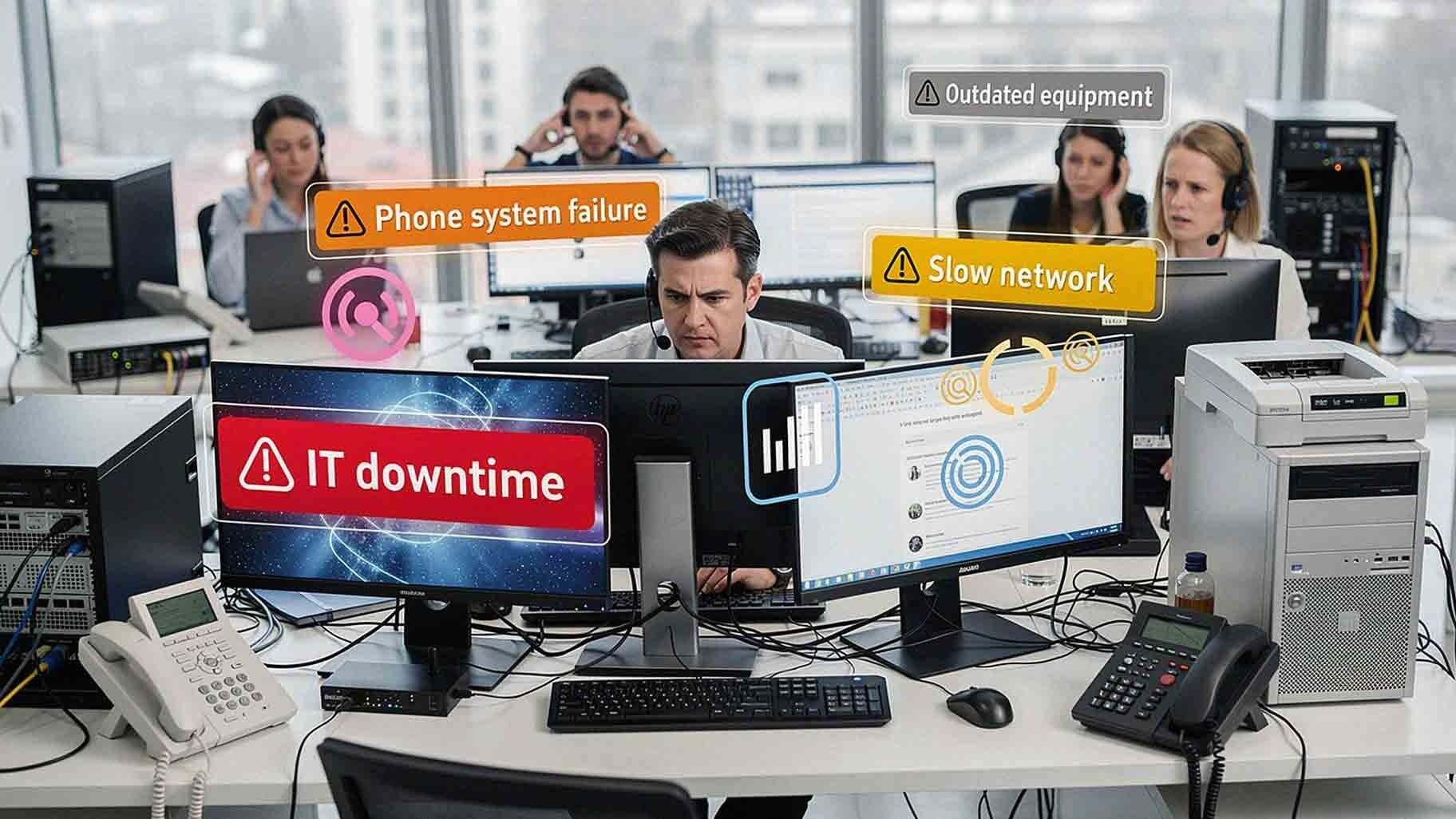
Customer experience gets talked about in terms of service quality, employee training, and product delivery. Those things matter — a lot. But there's another factor that quietly shapes every single customer interaction your business has, and it rarely gets enough attention: your office technology.
Every phone call, support ticket, invoice, and document interaction depends on technology systems working correctly. When they don't, customers notice. They may not know *why* your team takes longer to respond, or why their invoice is wrong, or why they were placed on hold for six minutes. They just know their experience wasn't great.
As Forbes noted in a recent piece on technology and customer experience, "using outdated technology can create a horrible experience." That's not an overstatement. It's something businesses across every industry are confronting in 2026 as customer expectations continue to rise and tolerance for friction continues to shrink.
This article breaks down the specific office technology problems most likely to hurt your customers — and what you can do about each one.
Why Technology Failures Are Often Invisible Until Customers Notice
Most internal systems run quietly in the background. Your team uses them every day without thinking about them. When systems start to degrade, the warning signs appear internally first — a slow computer here, a dropped call there, a network hiccup that adds a few seconds to every page load.
Those issues feel minor. And for a while, they are.
But small disruptions compound. Over time, they affect how fast your team can pull up a customer record, how clearly a sales call comes through, or how quickly an order gets processed. By the time a customer experiences a problem directly, the issue has usually been building for weeks.
That's the trap. You don't know how bad it is until a customer tells you — or leaves without saying anything at all.
Issue 1: Phone System Failures and Poor Call Quality
For most SMBs, the phone is still the primary way customers reach you. When your phone system underperforms, the damage is immediate.
Common phone system problems that affect customers include:
- Dropped calls mid-conversation
- Long or unexpected hold times
- Incorrect call routing (sending customers to the wrong department)
- Voicemail failures that lose messages entirely
- Audio delays, echoes, or distortion
A customer calling with a billing question or a service issue is already looking for resolution. When the technology gets in the way — when they're transferred twice to the wrong person, or when the call drops and they have to start over — trust erodes fast.
Modern VoIP and cloud phone platforms like Intermedia and RingCentral eliminate most of these issues when properly configured and maintained. But configuration is the key word. Even good platforms deliver poor results when they're not set up correctly or monitored consistently.
If your business is still running on legacy phone infrastructure, 2026 is the year to make the switch. The gap between what outdated systems can deliver and what customers expect has never been wider.

Issue 2: IT Downtime and System Outages
Few technology problems damage customer experience faster than unplanned downtime. When your systems go down — even for 20 minutes — the ripple effect touches customers directly.
Downtime can affect:
- Customer portals and self-service tools
- Payment processing systems
- Order management and fulfillment platforms
- Scheduling and appointment tools
- Internal communication systems your team needs to serve customers
When employees can't access the systems they need, customer requests pile up. Response times stretch. Errors increase as teams try to work around broken tools. The experience degrades quickly.
According to guidance from the National Institute of Standards and Technology (NIST), maintaining system availability is a foundational element of operational risk management. That's not just IT jargon — it means that protecting uptime is protecting your business.
Proactive monitoring through a Managed IT Services provider catches warning signs before they become outages. Instead of reacting to a downed server at 9 a.m. on a Tuesday, you're preventing it entirely.
Issue 3: Slow Network Performance
Network speed affects nearly every business function. And slow networks create a customer experience problem that's nearly impossible to explain to the people affected by it.
A sluggish network causes delays in:
- Loading customer records during a call
- Sending and receiving invoices
- Processing payments at the point of sale
- Accessing cloud-based applications
- Updating service tickets in real time
Your customers don't see your network. They just experience slower service, longer wait times, and employees who seem hesitant or uncertain. Poor network infrastructure is one of the most common — and most fixable — customer experience technology problems.
Regular network assessments identify bottlenecks, aging equipment, and configuration issues before they become visible to the people you serve. If you haven't had a network assessment in the past 12 months, it's worth scheduling one.
Issue 4: Outdated Hardware and Aging Devices
Aging technology eventually forces a trade-off your customers pay for. Older devices struggle with modern software, cloud platforms, and the processing demands of 2026 applications.
Hardware-related issues that hurt customer experience include:
- Slow computer performance that delays response times
- Frequent system crashes that interrupt active customer interactions
- Compatibility problems between older machines and newer software
- Increased maintenance needs that pull employees away from customer-facing work
When an employee is waiting 45 seconds for a customer record to load, or rebooting a workstation mid-conversation, your service quality takes a hit that has nothing to do with your team's capability or training.
Technology lifecycle planning — knowing when to refresh hardware before it fails — keeps your team equipped to deliver consistent service. A good Managed IT provider helps you plan those refresh cycles so you're never caught reacting to failures that were entirely predictable.
Issue 5: Poor Integration Between Business Systems
Most SMBs run multiple software platforms at the same time. CRM tools. Accounting software. Ticketing platforms. Communication tools. Document management systems.
When those systems don't talk to each other, your team pays the price — and so do your customers.
Disconnected systems mean:
- Employees manually re-entering data between platforms (and making errors)
- Customer history living in silos that no one person can see completely
- Slower response times as staff hunt for information across multiple tools
- Billing errors caused by information falling through the cracks
As CIO.com pointed out in their 2024 analysis of IT and customer service: *"Enterprises can no longer let customer service be an afterthought. Better use of data and AI can improve after-sales experiences."* That starts with connected systems.
When your tools are properly integrated, your team sees a complete picture of every customer interaction. Service becomes faster, more accurate, and more personalized — without requiring more staff hours.
Issue 6: Printing and Document Workflow Delays
Printing might seem like a background function, but document workflows often sit at the center of critical business operations. Contracts, invoices, proposals, compliance forms — these aren't optional outputs.
Common document-related issues that affect customers:
- Printers that go offline or jam during high-volume periods
- Delays in sending signed contracts or agreements
- Errors in invoices caused by manual document handling
- Slow document retrieval that extends customer wait times
A managed print strategy — covering equipment, supplies, and maintenance — keeps document workflows moving without requiring your team to troubleshoot hardware. Businesses that treat printing as infrastructure rather than an afterthought consistently experience fewer customer-facing delays tied to paperwork.
Issue 7: Security Gaps That Expose Customer Data
This one doesn't get talked about enough in the context of customer experience. A data breach or security incident isn't just an IT problem — it's a customer trust problem.
When customer data is exposed due to weak security practices, the relationship damage can be permanent. In 2026, customers are more aware of data privacy than ever, and their expectations for how businesses protect their information have risen sharply.
Security gaps that put customer experience at risk include:
- Unpatched software with known vulnerabilities
- Lack of multi-factor authentication on customer-facing systems
- Inadequate employee security training
- No incident response plan when something goes wrong
Proactive cybersecurity — endpoint protection, regular patching, employee training, and monitored threat detection — protects your customers as much as it protects your business.
How to Identify Which Issues Are Affecting Your Business
Not every business faces all seven of these problems at once. But most SMBs are dealing with at least two or three without fully realizing the customer impact.
Here's a practical way to audit your current situation;
- Talk to your frontline staff. They know exactly which systems slow them down during customer interactions.
- Review customer feedback and support tickets. Look for patterns that point to technology as a root cause.
- Check response time data. If average response times have crept upward, technology friction is often part of the reason.
- Schedule a technology assessment. A third-party review gives you an objective picture of where your infrastructure has gaps.
AIS provides technology assessments for SMBs across Las Vegas, Southern California, and surrounding regions. With a 96% NPS score and an average client relationship of 7+ years, our team knows how to translate technology improvements into real business outcomes — including better customer experience.
FAQ: Office Technology and Customer Experience
How do I know if my office technology is hurting my customers?
Look for patterns in customer feedback, rising response times, and employee complaints about system slowdowns. If your team regularly works around broken tools or manually re-enters data, those are strong signals that technology is creating friction in your customer experience.

What's the biggest technology issue that hurts customer experience?
IT downtime and phone system failures tend to have the most immediate and visible impact. Customers experience them directly and in real time. That said, slow networks and poor system integration create persistent, low-grade friction that damages experience over a longer period.
How often should businesses update their office technology?
Hardware typically has a useful life of three to five years depending on workload. Software and security tools require continuous updates. A managed IT provider helps you maintain a refresh cycle that keeps your team equipped without surprise expenses.
Can small businesses afford Managed IT Services?
Yes — and in most cases, managed IT costs less than the downtime, lost productivity, and customer churn that technology failures cause. Managed services are typically structured as predictable monthly costs, which makes budgeting far easier than reactive break-fix IT support.
What role does AI play in improving customer experience through technology?
AI is increasingly used to automate routine customer interactions, analyze support ticket patterns, flag potential system issues before they escalate, and surface relevant customer history during service calls. The caveat, as CIO.com noted, is that AI tools work best when the underlying data systems are well-integrated and well-maintained.
How long does it take to fix poor system integration?
It depends on the complexity of your current setup and the platforms involved. Some integrations can be established within days using existing APIs. Others require more significant configuration work. A technology assessment is the best starting point for understanding scope and timeline.
What's the first step if I think my technology is affecting my customers?
Start with an honest internal audit — talk to your team about which systems create the most friction during customer interactions. Then schedule a technology assessment with a provider who can give you an objective view of your infrastructure. AIS offers free consultations for businesses across Las Vegas and Southern California.
Protect Your Customer Experience by Protecting Your Technology
Customer experience doesn't start and end with your service team. It runs through every piece of technology your business relies on — your phones, your network, your hardware, your integrations, your security posture.
When those systems work well, your team can focus on what they do best: serving your customers. When they don't, every interaction carries friction that customers feel, even if they can't name the source.
AIS helps SMBs in Las Vegas, Southern California, and surrounding regions build and maintain the technology infrastructure their customer experience depends on. Our Managed IT Services cover proactive monitoring, network support, hardware lifecycle planning, cybersecurity, and more — all backed by 24/7 local support and dedicated account managers.
Ready to find out where your technology gaps are?
Topics:
