

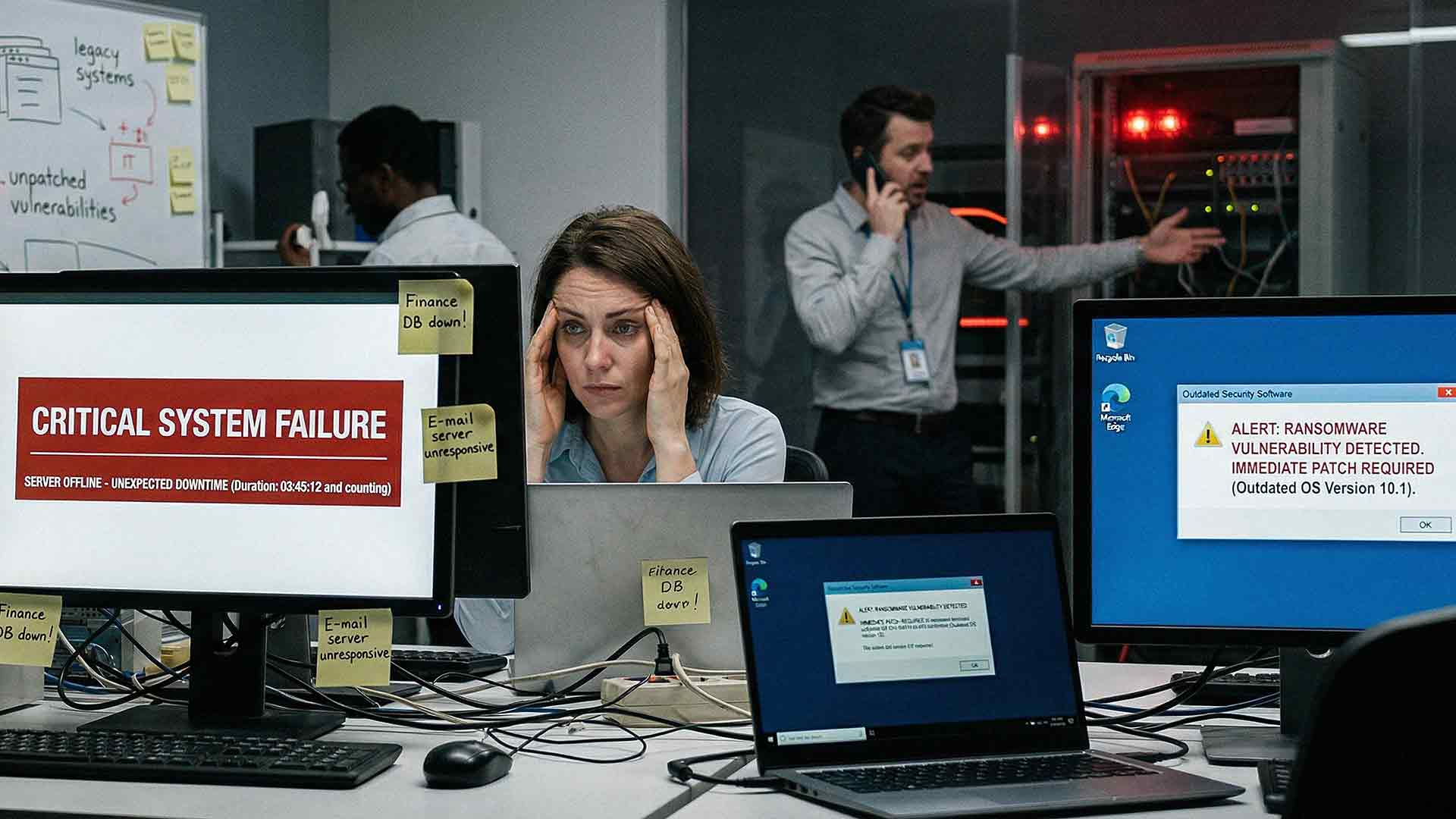
Waiting to upgrade your IT systems feels like the safe move. No large upfront expense. No disruption to your team. No need to fix what still works.
But doing nothing is not free.
The cost builds quietly in the background. Over time, it shows up in lost productivity, higher support costs, and increased security risk. If your systems are outdated, you are already paying for it. The only question is how much — and how long you are willing to let the bill grow before doing something about it.
What Does "Doing Nothing" in IT Really Mean?
Doing nothing does not mean your systems stay the same. Technology does not freeze in place just because you choose not to invest in it. The world around it keeps moving — software vendors release new builds, cybercriminals develop new attack methods, and your competitors adopt faster, more capable tools.
When you delay upgrades, you are continuing to rely on:
- Aging hardware that slows performance and increases failure risk
- Outdated software that may no longer receive security patches
- Unsupported systems that vendors have stopped maintaining
- Temporary fixes that became permanent workarounds
These systems fall further behind current standards every month. Performance drops gradually — slowly enough that your team adjusts, works around it, and stops flagging it as a problem. But those small adjustments have a cost, and it compounds over time.
Why Businesses Delay IT Upgrades
Most companies do not ignore IT on purpose. There are completely understandable reasons upgrades get pushed to the back burner.

Budget Concerns
Upgrades require investment. New equipment, licensing, and setup costs can feel overwhelming, especially when nothing has catastrophically failed yet. So the expense gets deferred to next quarter — and then the next.
Fear of Disruption
Upgrades bring change. Leaders worry about downtime during the transition, retraining staff, and the temporary dip in productivity that comes with any new system. Waiting feels easier than managing that process. In reality, a planned upgrade causes far less disruption than an unplanned failure.
"It Still Works" Thinking
If your systems turn on and your team gets through the day, upgrades feel unnecessary. This is one of the most common — and most expensive — mindsets in IT decision-making. Problems build slowly. By the time they are obvious, the cost is already high.
The Hidden Costs of Delaying IT Upgrades
The cost of doing nothing is rarely one large, obvious expense. It shows up in smaller ways that accumulate over months and years. Here is where that cost actually lives.
Lost Productivity
Older systems slow your team down in ways that are easy to dismiss as minor inconveniences — until you do the math.
- Programs take longer to load
- Systems freeze or crash without warning
- Employees build workarounds instead of using the tools as intended
- Applications fail to connect, forcing manual processes
If each employee loses just 20 minutes per day to slow or unreliable technology, that adds up to over 80 hours of lost work per year, per person. For a team of 15, that is more than 1,200 hours annually — time your business is paying for but not getting back.
Rising IT Support Costs
Outdated systems require more attention, not less. The older a system gets, the more frequently it needs troubleshooting, and the harder it is to find technicians who know how to work on it.
- Issues become more frequent and more complex
- Troubleshooting takes longer
- Vendor support may be limited or entirely unavailable
Your IT team — whether in-house or outsourced — ends up spending more time fixing problems than preventing them. That is a reactive posture that costs significantly more than a proactive one.
Security Risks
This is the one that should keep business owners up at night.
Outdated systems are easier to target. Older software often stops receiving security patches and updates, leaving known vulnerabilities open for exploitation. According to the Cybersecurity and Infrastructure Security Agency (CISA), outdated software remains one of the most common root causes of cyber incidents across industries.
A single breach can lead to:
- Days or weeks of downtime
- Regulatory fines, especially in industries with data compliance requirements
- Financial losses from ransomware or data theft
- Long-term damage to your reputation and client trust
In 2026, the threat environment is not getting easier to manage. Cybercriminals are using more sophisticated tools — including AI-assisted attacks — to find and exploit vulnerabilities faster than ever. Running unsupported systems in that environment is not a calculated risk. It is an open door.
Downtime
Aging systems fail more often. Servers crash. Devices stop working. Applications become unreliable at the worst possible times. Each failure interrupts your business operations.
According to Forbes, the average cost of downtime has reached as high as $9,000 per minute for large organizations. While that figure reflects enterprise-scale operations, even for small and mid-sized businesses, unplanned downtime is one of the most expensive disruptions you can experience. Work stops. Customers are affected. Revenue is delayed or lost entirely.
A single major failure from a server that should have been replaced two years ago can wipe out the savings from every deferred upgrade decision combined.
Compatibility Issues
Modern software is built for modern systems. As your infrastructure ages, it becomes increasingly difficult to adopt new tools, integrate with vendor platforms, or collaborate with partners who have moved to current technology.
This leads to:
- Limited access to new software your competitors are using
- Integration problems that create manual, time-consuming workarounds
- Slower adoption of automation, AI tools, and business applications that could improve your margins
As Forbes noted in their analysis of legacy software costs, outdated systems are still able to do basically what they were designed to do — but without the capacity for business growth, and without the ability to seamlessly interact with newer systems. That is not a technology limitation. That is a business limitation.
Higher Long-Term Costs
Here is the financial reality that surprises most business owners when they finally see it: delaying upgrades almost always increases your total cost of ownership.
- Emergency replacements cost significantly more than planned upgrades
- Downtime creates revenue loss that a capital investment could have prevented
- Security incidents generate unexpected legal, regulatory, and recovery expenses
- Reactive IT support costs more per hour than proactive management
Waiting removes your control over timing, budget, and impact. A planned upgrade on your schedule, with a clear budget and implementation plan, is almost always the more affordable option.
A Real-World Example
Consider a company that delayed replacing an aging server because it was still functional. Over 18 months, performance degraded slowly. Support tickets increased. Small outages — each dismissed as a one-off — became more frequent.
Eventually, the server failed completely.
The result was an emergency hardware replacement purchased at full retail price with expedited shipping, three days of downtime, lost productivity across the entire team, and hours of data recovery work. The total cost far exceeded what a planned replacement would have required — and the timing was entirely out of the company's control.
This scenario plays out every day in businesses that chose waiting over planning.
When Waiting Actually Makes Sense
Not every system needs to be replaced immediately, and we want to be straightforward with you: sometimes waiting is the right call.
Waiting is reasonable when:
- The system is still actively supported by the vendor
- Performance continues to meet your team's actual needs
- Security updates are being applied regularly
- You have a documented upgrade plan and timeline in place
The key difference is having a strategy. Waiting with a clear plan and defined milestones is responsible financial management. Waiting without a plan — hoping nothing breaks — is a risk you are taking on without fully understanding the potential cost.
How to Evaluate Your IT Environment
If you are unsure where your systems stand, start with a few honest questions:
- Are employees losing time to slow systems, crashes, or workarounds?
- Are any of your software applications no longer receiving updates?
- When did you last have a full IT audit or infrastructure review?
- Do you know which systems are approaching end-of-life?
- If a critical system failed tomorrow, do you have a recovery plan?
If you cannot answer these confidently, that is not a minor gap — it is a meaningful business risk.
A managed IT partner can conduct a full assessment of your environment, identify where your greatest risks and inefficiencies are, and help you build a phased upgrade plan that fits your budget. You do not have to replace everything at once. You just need a plan.
Frequently Asked Questions
How do I know if my IT systems are considered outdated?
A system is generally considered outdated when it is no longer receiving vendor support or security patches, when it cannot integrate with current software your business depends on, or when performance issues are creating regular friction for your team. If you are unsure, an IT audit from a managed services provider can give you a clear picture.
Is it always more expensive to delay IT upgrades?
In most cases, yes — but not always. If a system is still supported, still performing, and fits within a documented replacement timeline, waiting can be appropriate. The problem is when waiting becomes indefinite. Emergency replacements, unplanned downtime, and security incidents almost always cost more than planned upgrades would have.
What is the actual financial risk of a cyberattack on outdated systems?
The financial exposure varies widely depending on your industry, the type of incident, and your data recovery capabilities. Costs can include ransom payments, regulatory fines, legal fees, data recovery services, and lost revenue during downtime. For small and mid-sized businesses, even a modest breach can generate tens of thousands of dollars in unexpected costs.
How does outdated IT affect employee retention and morale?
More than most leaders realize. Employees who deal with slow, unreliable technology every day are less productive and less satisfied with their work environment. In competitive hiring markets, technology quality is a real factor in whether talented people stay or start looking elsewhere.
Can I upgrade my IT infrastructure in phases instead of all at once?
Absolutely — and for most SMBs, a phased approach is the right strategy. A good managed IT partner will help you prioritize which systems carry the most risk or create the most friction, and build a roadmap that spreads investment over time while reducing your exposure.

What is a managed IT service, and how does it help with upgrade planning?
Managed IT services provide ongoing monitoring, support, and strategic planning for your technology environment. Instead of reacting to problems after they occur, a managed services provider helps you identify risks early and plan upgrades before systems fail — which is almost always less disruptive and less expensive.
How do I start the process of evaluating my current IT systems?
The simplest first step is scheduling a technology assessment with an IT partner who works with businesses your size and in your industry. They can review your current environment, identify risks, and give you a prioritized list of recommendations without any obligation to purchase.
The Bottom Line
Doing nothing in IT is not neutral. It is a decision with a cost — one that grows over time and tends to come due at the worst possible moment.
The good news is you do not have to figure this out alone, and you do not have to upgrade everything at once. You just need a clear picture of where your risks are and a realistic plan to address them on your terms, not your technology's terms.
At AIS, we work with SMBs across Las Vegas, Southern California, and the surrounding region to assess, plan, and manage their IT environments — so small issues get addressed before they become expensive emergencies. With a 96% NPS score and an average client relationship of over seven years, we build partnerships that go well beyond a one-time fix
Ready to find out where your IT environment actually stands?
👉 Schedule a Free Consultation — No pressure, no obligation. Just clarity.
👉 Contact AIS Today — Talk to a local expert who understands your business.
Topics:
