Not all businesses need the same level of IT support. A small office with stable systems and a handful of employees has very different needs than a growing company managing remote workers, cloud applications, and sensitive customer data.
That is why most IT providers structure their offerings around IT help desk support tiers. These tiers let businesses choose a level of service that matches their size, risk tolerance, and operational demands. The problem is that the differences between tiers are not always explained clearly. Both basic and premium support promise help when something breaks. But the actual experience — how fast help arrives, how deeply problems get solved, and how much prevention is built in — can be dramatically different.
According to CIO.com, nearly one-third of all help-desk tickets are work-stoppers, meaning employees cannot do their jobs until the issue is resolved. That is a staggering number. And it raises an important question: when a third of your IT problems are actively halting productivity, does your support tier have the speed, depth, and coverage to handle that reality?
This article breaks down exactly what separates basic from premium IT help desk support so you can make a confident, informed decision for your business.
What Does IT Help Desk Support Actually Cover?
At its core, IT help desk support exists to help employees when technology fails or behaves unexpectedly. Common issues include:
- Login and password problems
- Email access and configuration
- Slow or unresponsive computers
- Software errors and application crashes
- Printer and peripheral connectivity
- Network and VPN access issues
- Cloud application support
The difference between support tiers is not really about *what* gets covered — it is about how fast, how deeply, and how proactively problems are handled.
What Basic IT Help Desk Support Includes
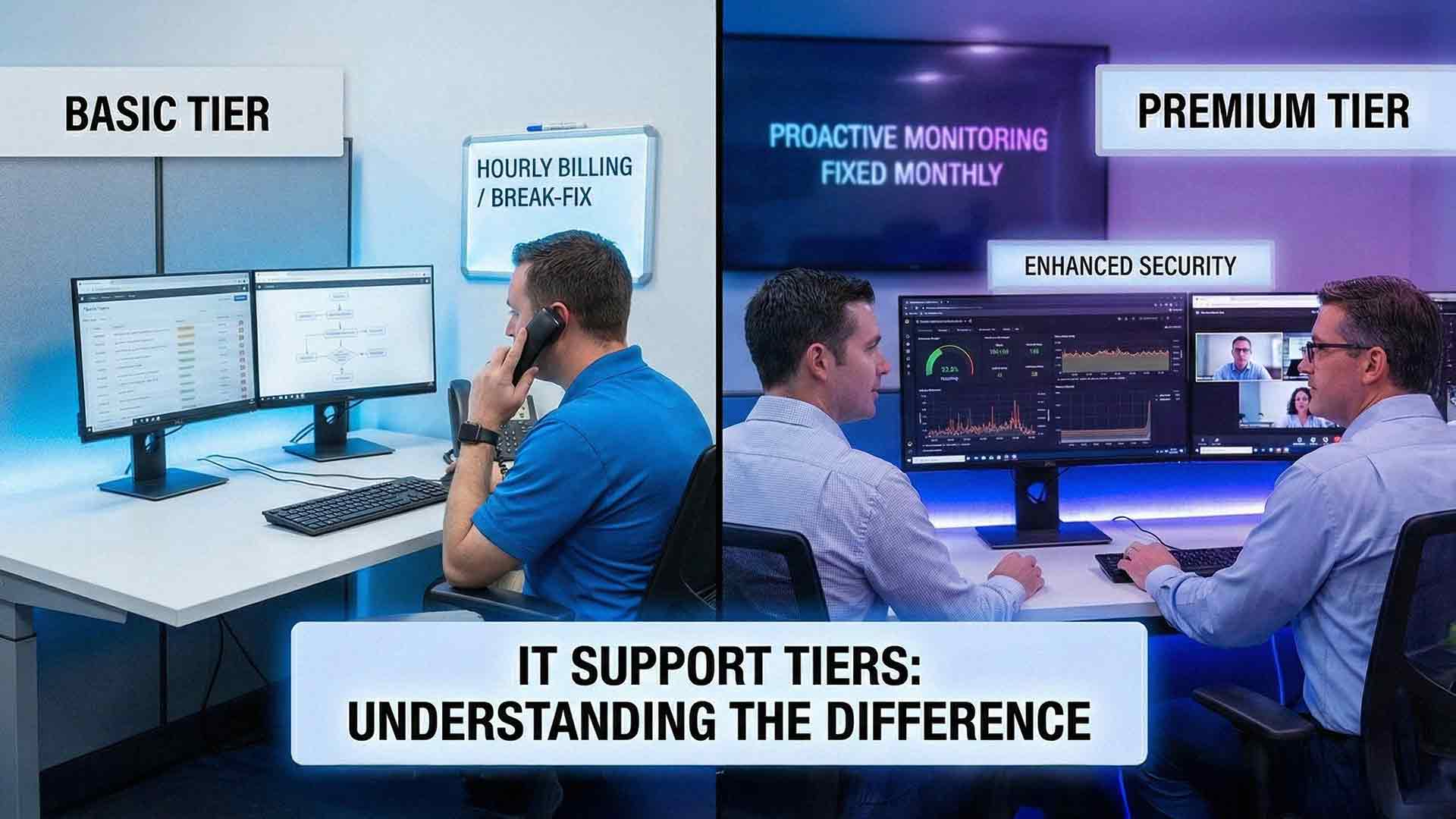
Basic IT help desk support is designed for businesses with simpler technology environments and lower risk tolerance. The focus is reactive: something breaks, you call, they fix it.
Response Times and Availability
Basic support typically operates during standard business hours, usually Monday through Friday, 8 AM to 5 PM. Tickets are handled in the order they arrive, which means there is no priority routing. If your team hits a problem at 4:45 PM on a Friday, you may not get a resolution until Monday morning.
Emergency or after-hours response is either not included or billed as an add-on at a premium rate.
Scope of Support
Basic tiers generally cover the most common, straightforward issues:
- Password resets
- Standard software errors
- Printer and peripheral connectivity
- Basic email access problems
Support is usually delivered remotely. On-site visits — when a technician physically comes to your location — typically cost extra and are not guaranteed within any specific time frame.

How Troubleshooting Works
The goal with basic support is to close the ticket. Technicians focus on resolving the immediate problem in front of them. There is limited investigation into root causes, minimal documentation of recurring patterns, and little follow-through once the issue appears resolved.
This works well enough in the short term. But it means the same problems can come back. The underlying cause never gets addressed, and your team keeps losing time to the same disruptions.
Security Coverage
Basic support plans typically include minimal security tooling. You might get standard antivirus software and routine patch updates. Advanced threat detection, endpoint monitoring, security awareness training for employees, and incident response planning are almost never part of a basic tier.
In 2026, that gap matters more than ever. Cyber threats have grown more sophisticated, and small-to-mid-size businesses are increasingly targeted precisely because they tend to have weaker security postures than large enterprises.
What It Actually Costs
The base monthly price for basic support looks attractive. But the real cost picture is more complicated. Additional fees often apply for:
- On-site support visits
- After-hours or emergency assistance
- Advanced troubleshooting beyond standard scope
- Security incidents and remediation
When you factor in productivity lost to slower response times, repeat tickets, and unresolved root causes, the "cheaper" tier often ends up costing more.
What Premium IT Help Desk Support Includes
Premium IT help desk support is built for businesses that depend heavily on their technology — and cannot afford to have it fail without fast, expert help. The model shifts from reactive to proactive.
Response Times and Availability
Premium support plans prioritize speed. Many include service level agreements (SLAs) that define exactly how quickly your tickets will be acknowledged and resolved. Priority routing means urgent issues jump the queue.
Extended coverage — evenings, weekends, and holidays — is typically included or available. This is especially important for businesses with employees working outside traditional office hours or across multiple time zones.
Scope of Support
Premium tiers cover a much broader range of technology and users, including:
- End-user support across all devices
- Remote and hybrid workers
- Cloud application support (Microsoft 365, Google Workspace, etc.)
- Network infrastructure and connectivity
- VoIP and business phone systems
- Collaboration tools
On-site support for critical issues is usually included, not billed separately. That means when a problem requires a technician on-site, you are not looking at an unexpected invoice.
Proactive Troubleshooting
This is one of the biggest functional differences between tiers. Premium support does not just close tickets — it investigates them. Technicians look for root causes, document recurring issues, and recommend fixes that prevent future disruptions.
Over time, this approach meaningfully reduces the number of tickets your team submits. Fewer tickets means fewer interruptions, which means higher productivity. TechRepublic notes that the level of technical support available is one of the key drivers of customer satisfaction and retention — and that principle applies just as much to internal IT support for your own employees.
Advanced Security Integration
Premium help desk support is almost always paired with stronger security tools and practices. This typically includes:
- Endpoint detection and response (EDR)
- 24/7 network monitoring
- Multi-factor authentication (MFA) management
- Patch management and vulnerability scanning
- Security awareness training for employees
- Incident response planning
Rather than bolting security on after something goes wrong, premium tiers build it into your daily operations.
Dedicated Account Management
Many premium plans include a dedicated account manager — a single point of contact who knows your business, your environment, and your history. This person helps you plan ahead, not just react. They can flag trends in your ticket data, recommend technology upgrades before problems surface, and serve as a consistent advocate for your team.
At AIS, every client works with a dedicated account manager. It is one of the reasons our average client relationship spans more than seven years.
Predictable Pricing
Premium support is usually priced on a flat monthly or per-user basis. That predictability makes budgeting straightforward. You know what you are paying each month, and there are far fewer surprise add-on costs.
Basic vs. Premium: A Side-by-Side Look
| Feature | Basic Support | Premium Support |
|---|---|---|
| Response time | Slower, queued | Prioritized SLAs |
| Availability | Business hours only | Extended or 24/7 |
| On-site support | Extra cost | Often included |
| Troubleshooting depth | Surface-level | Root cause analysis |
| Security tools | Minimal | Advanced, integrated |
| Proactive monitoring | Rarely included | Standard |
| Dedicated account manager | No | Yes (varies by provider) |
| Pricing model | Lower base, variable extras | Flat, predictable |

Which Tier Is Right for Your Business?
The honest answer is: it depends on your risk profile, your growth stage, and how much your business relies on technology to operate day to day.
Basic support may be a fit if:
- You have a very small team with minimal technology complexity
- Your systems are stable and infrequently disrupted
- You have internal IT resources who handle most issues
- Downtime is a minor inconvenience, not a business threat
Premium support is worth the investment if:
- Your team cannot work without reliable access to systems and applications
- You have remote or hybrid employees
- You handle sensitive customer data or operate in a regulated industry
- You are growing and adding users, locations, or technology regularly
- You have experienced repeat issues that never seem to fully resolve
- Cybersecurity risk keeps you up at night
For most growing SMBs in Las Vegas, Southern California, and surrounding regions, premium support is not a luxury — it is the level of coverage that actually matches the complexity of running a business in 2026.
Frequently Asked Questions About IT Help Desk Support Tiers
What is the difference between basic and premium IT help desk support?
Basic support is reactive and covers common issues during business hours with limited security tools. Premium support adds faster response times, extended availability, proactive monitoring, root cause analysis, advanced security, and often a dedicated account manager.
How do IT help desk tiers affect my business's productivity?
Directly and significantly. Studies show that nearly one-third of help desk tickets are work-stoppers — meaning employees cannot do their jobs until the issue is resolved. Faster response times and proactive monitoring from premium tiers reduce how often those stoppages happen and how long they last.
Is basic IT support really cheaper in the long run?
Not always. Basic support has a lower base cost, but add-on fees for on-site visits, after-hours help, and advanced troubleshooting can add up quickly. Productivity losses from slower response times and unresolved root causes increase the real cost further. Many businesses find premium support more cost-effective once they factor in the full picture.
What should I look for in a premium IT help desk SLA?
Look for clearly defined response and resolution time targets, availability windows (including after-hours coverage), escalation procedures, and accountability metrics. A good SLA tells you exactly what to expect — and gives you recourse if those standards are not met.
Does premium IT support include cybersecurity?
Most premium plans include stronger security tools than basic tiers, such as endpoint detection and response, network monitoring, patch management, and MFA. However, the depth of security coverage varies by provider. Ask specifically what is included and what costs extra.
How many users or devices do I need before premium support makes sense?
There is no universal threshold, but businesses with 10 or more users — especially those with remote workers or complex software environments — generally benefit significantly from premium support. The more your operations depend on technology, the more valuable premium coverage becomes.
Can I start with basic support and upgrade later?
Yes, and many businesses take that path. The important thing is to reassess regularly. As your team grows, your technology environment becomes more complex, and your risk exposure increases. What worked at 5 employees may leave real gaps at 25.
Ready to Find the Right Level of IT Support for Your Business?
Choosing the right IT help desk support tier is one of the most practical decisions you can make for your team's productivity and your business's long-term stability. The wrong fit — too little coverage for a complex environment — leads to downtime, frustrated employees, and costs that quietly add up.
At AIS, we work with SMBs across Las Vegas and Southern California to match IT support coverage to the actual demands of their business. With a 96% client satisfaction score and an average client relationship of more than seven years, we take a long-term, relationship-driven approach to managed IT services.
Schedule a Free Consultation to talk through your current IT support setup and find out what tier makes sense for where your business is headed.
Or, if you have specific questions right now, contact AIS today — our team is ready to help.
Topics:
