

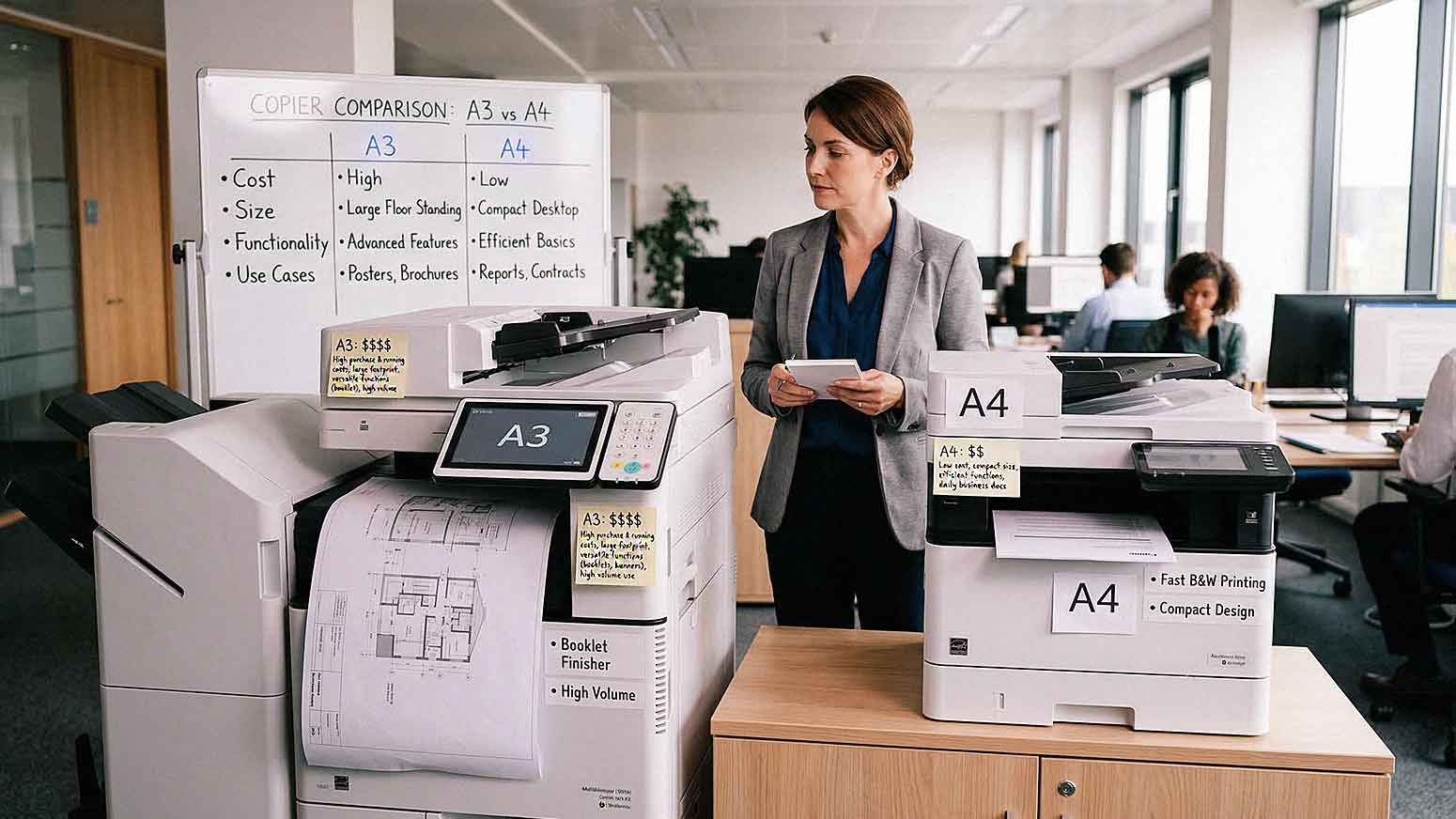
Not all office copiers are built the same.
One of the most important decisions businesses face is choosing between A3 and A4 copiers.
At first glance, the difference may seem simple. One handles larger paper sizes. The other focuses on standard documents.
In reality, this choice affects cost, space, workflow efficiency, and long-term scalability.
Selecting the wrong type of copier can lead to higher expenses or limitations in daily operations. Understanding the differences helps you choose a device that fits your actual business needs.
What Is an A3 Copier?
An A3 copier supports larger paper sizes, including:
• A3 Paper Size Which Is 11 x 17 Inches
• Standard Letter And Legal Sizes
A3 devices are typically larger and more robust.
They are often used in environments that require:
• Large Format Printing
• Detailed Documents
• High Volume Output
A3 copiers usually include advanced finishing options such as stapling, folding, and booklet creation.
What Is an A4 Copier?
An A4 copier focuses on standard document sizes.
These devices support:
• A4 Paper Size, Which Is Similar To 8.5 x 11 Inches
• Basic Office Printing Needs
A4 copiers are typically smaller and more compact.
They are designed for:
• Everyday Office Printing
• Lower Print Volumes
• Space Efficient Environments
A4 devices are often easier to install in smaller offices or remote workspaces.

Key Differences Between A3 and A4 Copiers
Understanding the core differences helps simplify your decision.
The main distinctions include:
• A3 Copiers Support Larger Paper Sizes While A4 Copiers Focus On Standard Documents
• A3 Devices Are Larger And More Feature Rich, While A4 Devices Are Compact
• A3 Copiers Handle Higher Print Volumes While A4 Copiers Are Designed For Moderate Use
• A3 Systems Often Include Advanced Finishing While A4 Systems Offer Basic Output
These differences affect both functionality and cost.
When an A3 Copier Makes Sense
Businesses That Need Larger Document Printing
If your business regularly prints larger documents, an A3 copier is necessary.
Examples include:
• Marketing Materials
• Architectural Drawings
• Financial Spreadsheets
• Training Manuals
A3 devices handle these formats without requiring resizing or outsourcing.
High Volume Printing Environments
A3 copiers are built for higher workloads.
They are often used in:
• Corporate Offices
• Schools And Universities
• Print Intensive Departments
Higher capacity reduces downtime and improves efficiency.
Advanced Finishing Requirements
If your business produces polished documents, A3 copiers offer features such as:
• Stapling
• Hole Punching
• Booklet Creation
• Folding
These features reduce manual work and improve presentation quality.
When an A4 Copier Makes Sense
Small to Mid-Sized Offices
A4 copiers are ideal for businesses with standard printing needs.
Common environments include:
• Small Offices
• Remote Workspaces
• Satellite Locations
Compact size makes them easier to place in limited spaces.
Lower Print Volume Needs
If your business prints moderate volumes, an A4 device may be sufficient.
This reduces:
• Equipment Cost
• Maintenance Requirements
• Energy Usage
A4 copiers provide efficiency without unnecessary capacity.
Cost-Sensitive Environments
A4 copiers often have lower upfront and operational costs.
Businesses may benefit from:
• Lower Lease Payments
• Reduced Cost Per Page
• Lower Maintenance Expenses
For many organizations, cost savings are a key factor in business copier selection.
Cost Differences Between A3 and A4 Copiers
Cost is one of the biggest decision factors.
In general:
• A3 Copiers Have Higher Lease And Purchase Costs
• A3 Devices Often Have Higher Maintenance Costs
• A4 Copiers Offer Lower Initial Investment
• A4 Devices Typically Have Lower Operating Costs
However, choosing a cheaper device that cannot handle your workload may lead to higher long-term costs.
Cost should be evaluated alongside functionality.
Space and Office Layout Considerations
Physical space plays an important role.
A3 copiers:
• Require More Floor Space
• May Need Dedicated Areas
• Are Heavier And Less Portable
A4 copiers:
• Fit On Desks Or Small Areas
• Are Easier To Relocate
• Work Well In Distributed Offices
Office layout should influence your decision.
How Print Volume Impacts Your Choice
Print volume is one of the most important factors.
Consider:
• Monthly Page Volume
• Peak Usage Periods
• Number Of Employees Using The Device
A3 copiers handle higher volumes more efficiently.
A4 copiers may struggle under heavy demand, leading to increased wear and downtime.
Matching the device to your volume prevents performance issues.
Workflow and Productivity Considerations
Your workflows determine which device is more efficient.
Questions to ask include:
• Do You Need Large Format Documents
• Do You Require Advanced Finishing
• How Often Do Employees Use The Copier
• Are Documents Shared Digitally Or Printed
A3 devices support more complex workflows.
A4 devices support simpler, everyday tasks.
How Managed Print Services Help You Decide
Choosing between A3 and A4 copiers is easier with data.
Managed Print Services analysis:
• Print Volume
• Device Usage
• Department Needs
• Cost Per Page
AIS helps businesses across Las Vegas and Southern California evaluate print environments and recommend the right mix of A3 and A4 devices.
In many cases, businesses benefit from using both types strategically.
Common Mistakes When Choosing a Copier
Businesses often make avoidable errors.
Common mistakes include:
• Choosing Based Only On Price
• Ignoring Future Growth
• Underestimating Print Volume
• Overlooking Workflow Needs
• Selecting One Device For All Use Cases
A single copier type may not fit every department.
Balanced environments often perform better.

A3 vs A4 Copiers: Which Is Better?
There is no universal answer.
The right choice depends on your business needs.
Choose A3 if:
• You Need Large Format Printing
• You Have High Print Volume
• You Require Advanced Finishing
Choose A4 if:
• You Have Standard Printing Needs
• You Want Lower Costs
• You Have Limited Space
Many organizations use a combination of both.
What the Right Copier Setup Should Feel Like
When your copier strategy is aligned:
• Employees Print Without Delays
• Documents Match Business Needs
• Costs Are Controlled
• Devices Fit Your Workspace
The right setup supports productivity instead of limiting it.
Next Steps: Evaluate Your Copier Needs
If you are unsure whether an A3 or A4 copier is right for your business, AIS offers a Print Environment Assessment. This review evaluates your usage, workflow, and cost structure to recommend the best copier solution.
Choosing the right device improves efficiency and reduces long term costs.
Topics:
