

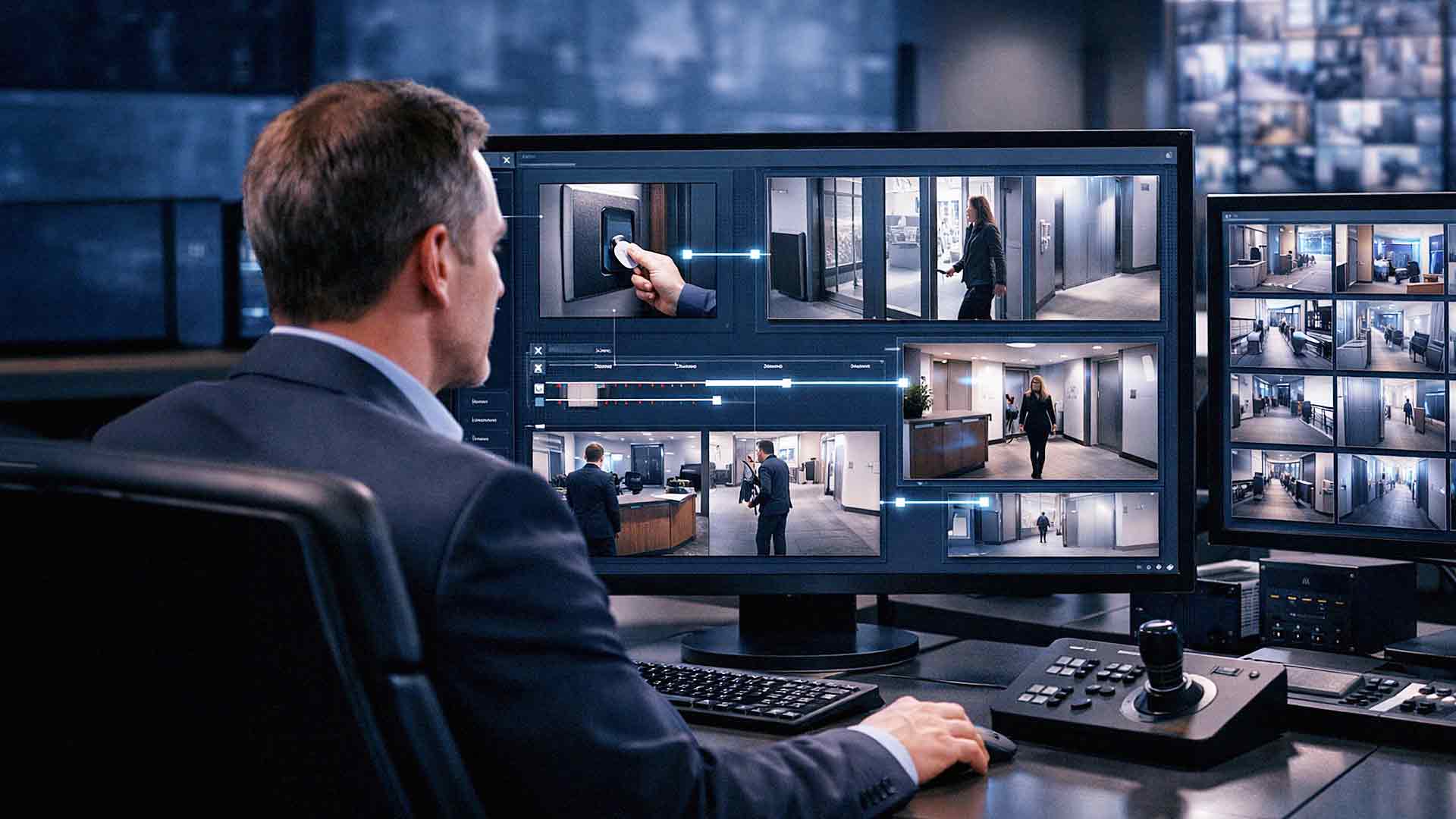
Security systems used to operate separately. Access control managed doors. Cameras recorded video. Alarm systems handled alerts.
Today, businesses are moving toward integrated systems.
Integrating cameras with access control allows organizations to connect entry activity with visual evidence. This improves visibility, strengthens security, and simplifies investigations.
Instead of reviewing logs and video separately, businesses gain a unified view of who accessed a door and what happened at that moment.
What Integration Actually Means
Security system integration connects access control systems with video surveillance platforms.
When integrated, systems can:
• Link Door Access Events To Video Footage
• Trigger Camera Recording During Entry Activity
• Display Video Clips Alongside Access Logs
• Provide Real-Time Monitoring Of Entry Points
• Enable Centralized Security Management
This creates a single system where administrators can view both access data and video evidence together.

Key Benefits of Integrating Cameras With Access Control
Improved Incident Investigation
When an incident occurs, time matters.
Integration allows businesses to:
• Quickly Match Access Logs With Video Footage
• Verify Who Entered A Door
• Confirm What Occurred During Entry
• Reduce Investigation Time
Instead of searching through hours of footage, administrators can jump directly to the relevant event.
Stronger Security Oversight
Integrated systems provide greater visibility into building activity.
Security teams can:
• Monitor Entry Points In Real Time
• Detect Unauthorized Access Attempts
• Identify Suspicious Behavior
• Track Movement Through Facilities
This improves overall situational awareness.
Better Accountability
Access control logs show who used credentials. Cameras show what actually happened.
Combining both provides:
• Verified User Activity
• Clear Evidence Of Entry Behavior
• Reduced Disputes Over Access Events
Accountability increases when actions are both recorded and visible.
What to Evaluate Before Integration
Before integrating cameras with access control, several factors must be considered.
System Compatibility
Not all systems integrate easily.
Verify:
• Whether Your Camera System Supports Integration
• Whether Your Access Control Platform Offers Open APIs
• Whether Both Systems Can Be Managed Together
Choosing compatible platforms reduces integration complexity.
Network Infrastructure Requirements
Integrated systems rely on network performance.
Evaluate:
• Available Bandwidth
• Network Segmentation
• Storage Capacity
• System Latency
Video data requires significant bandwidth. Combining video with access logs increases demand.
Proper network planning prevents performance issues.
Storage and Retention Planning
Integration increases data volume.
Businesses must plan for:
• Video Storage Requirements
• Retention Policies
• Cloud Versus On-Site Storage
• Backup Systems
If retention periods are too short, valuable evidence may be lost.
If storage is undersized, systems may overwrite footage too quickly.
Security Considerations for Integrated Systems
Integrated systems improve visibility but also increase responsibility.
Security measures should include:
• Strong Authentication Controls
• Role-Based Access Permissions
• Encrypted Data Transmission
• Regular Firmware Updates
• Network Segmentation
According to the National Institute of Standards and Technology, connected systems must follow structured security controls to reduce exposure.
Combining systems without proper security planning can increase risk.
Cost Factors to Expect
Integrating cameras with access control involves several cost components.
Typical expenses may include:
• Software Integration Licensing
• Additional Storage Infrastructure
• Network Upgrades
• Installation And Configuration Labor
• Ongoing Maintenance
While integration adds upfront cost, it often reduces long-term operational inefficiencies.
Businesses should evaluate both initial investment and long-term value.
Common Integration Use Cases
Integrated security systems are useful in many environments.
Examples include:
• Office Buildings Monitoring Employee Entry
• Warehouses Tracking Inventory Access
• Healthcare Facilities Managing Restricted Areas
• Retail Stores Monitoring Back Room Access
• Schools Controlling Entry Points
Each environment benefits from combining access data with visual verification.
Mistakes to Avoid During Integration
Businesses often encounter avoidable challenges.
Common mistakes include:
• Choosing Incompatible Systems
• Underestimating Storage Needs
• Ignoring Network Capacity
• Failing To Define Access Permissions
• Skipping Professional Planning
These issues increase cost and reduce system effectiveness.
Proper planning prevents rework.

The Role of Centralized Security Management
Integrated systems are most effective when managed from a central platform.
Centralized management allows administrators to:
• View Access Events And Video Together
• Manage User Permissions
• Monitor System Health
• Generate Reports
This reduces the need to switch between multiple systems.
Simplified management improves efficiency.
How Integration Improves Compliance and Reporting
Many industries require documented access control and monitoring.
Integration supports compliance by providing:
• Timestamped Access Logs
• Video Evidence Of Entry Events
• Audit Ready Documentation
• Centralized Reporting
This improves audit readiness and reduces compliance risk.
Planning for Future Expansion
Security needs evolve.
When planning integration, consider future growth.
This may include:
• Adding More Doors
• Expanding Camera Coverage
• Supporting Multiple Locations
• Integrating Additional Security Systems
Scalable systems prevent the need for complete replacement as requirements grow.
How Professional Security Providers Simplify Integration
Integrating cameras with access control requires coordination across multiple systems.
Professional providers typically handle:
• System Compatibility Assessment
• Network Planning
• Installation And Configuration
• Security Hardening
• Ongoing Support
AIS supports businesses across Las Vegas and Southern California with integrated security solutions that align video surveillance and access control systems into a unified platform.
Structured implementation reduces risk and improves performance.
H2: What a Well-Integrated Security System Should Feel Like
When integration is successful:
• Access Events Are Linked To Clear Video Footage
• Security Teams Respond Faster To Incidents
• System Management Is Simplified
• Reporting Is More Accurate
• Security Visibility Improves
The system should provide clarity, not complexity.
H2: Next Steps: Evaluate Your Security Integration Strategy
If your organization operates separate camera and access control systems, AIS offers a Security System Integration Assessment. This review evaluates compatibility, network readiness, storage capacity, and security configuration to determine the best integration approach.
Connecting your systems improves visibility and strengthens overall protection.
