

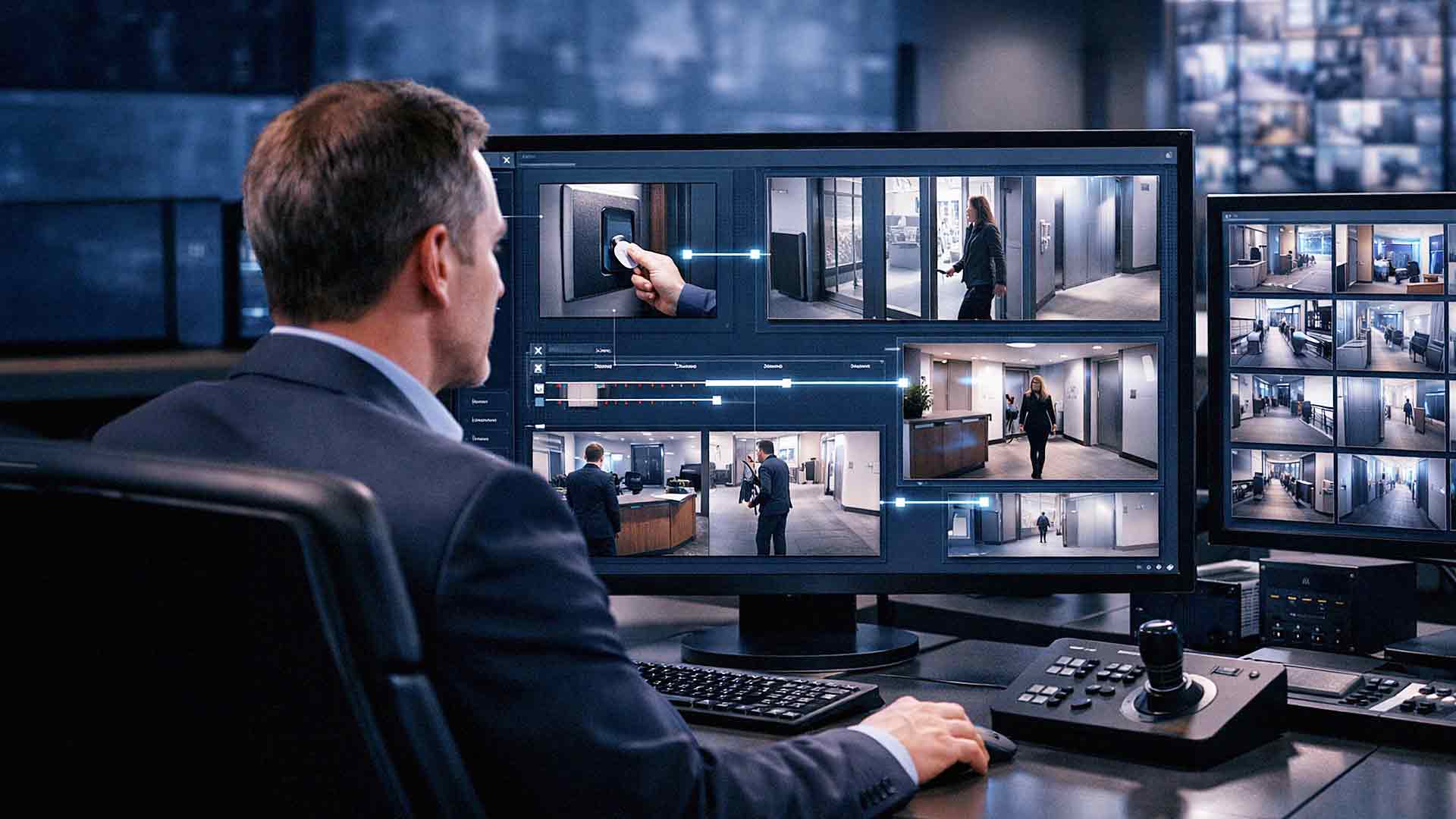
Security systems used to operate in silos. Access control managed who could open doors. Cameras recorded what happened in the hallway. Alarm systems handled alerts. Each one did its job — separately.
That's changed. In 2026, businesses of all sizes are moving toward unified, integrated security environments. Integrating cameras with access control connects entry activity with visual evidence in real time. It improves visibility, strengthens security posture, and dramatically simplifies investigations when something goes wrong.
Instead of reviewing access logs and video footage as two separate tasks, your team gains a single, unified view of who accessed a door — and exactly what happened at that moment.
This article walks you through what integration actually means, what it costs, what to evaluate before you commit, and what questions to ask your vendor. Whether you're a small business owner or managing a multi-site operation, this guide gives you what you need to make a confident, informed decision.
What Integration Actually Means
Security system integration connects your access control platform with your video surveillance system. When the two are properly integrated, they can:
- Link door access events to time-stamped video footage
- Trigger camera recording during entry activity
- Display video clips alongside access logs in a single dashboard
- Provide real-time monitoring of all entry points
- Enable centralized security management across multiple locations
The result is a single system where administrators can view both access data and video evidence together — without toggling between platforms or manually cross-referencing timestamps.
This sounds straightforward, but the execution depends heavily on the platforms you're using, your network infrastructure, and how well your technology partner plans and deploys the integration.
Key Benefits of Integrating Cameras With Access Control
Faster, More Reliable Incident Investigation
When an incident occurs — whether it's a theft, an unauthorized entry, or a workplace dispute — time matters. Every minute spent manually cross-referencing logs and footage is a minute of lost evidence-gathering efficiency.
With integration, your team can:
- Instantly match access log events to the exact video clip from that moment
- Verify who presented credentials at a specific door
- Confirm what physically happened during that entry
- Reduce investigation time from hours to minutes
This is especially valuable when working with law enforcement or HR teams who need clear, time-linked evidence.

Stronger Security Oversight
Integrated systems give your security team a much clearer picture of what's happening across your facility at any given moment. Instead of monitoring separate feeds and reports, everything flows into one view.
Your team can:
- Monitor entry points in real time from a single dashboard
- Detect unauthorized access attempts as they happen
- Identify suspicious behavior near secured areas
- Track movement patterns through your facility over time
This level of situational awareness is difficult — and expensive — to replicate with disconnected systems.
Better Accountability Across Your Organization
Access control logs tell you *who* used credentials. Cameras tell you *what actually happened*. When you combine both, you get verified accountability that's hard to dispute.
This matters for:
- Verifying employee activity near sensitive areas or after hours
- Providing clear evidence in the event of a dispute or HR investigation
- Protecting your business against false claims or liability exposure
Accountability increases significantly when actions are both logged and visible.
Smarter Alerts and Automation
Modern integrated platforms — including cloud-based solutions like Verkada, which AIS deploys for clients across Las Vegas and Southern California — allow you to set up intelligent alerts. For example, you can configure the system to notify your security team any time a door is propped open for more than 30 seconds, or when someone attempts to badge into a restricted area after hours.
These automations reduce the burden on your team while improving response time.
What to Evaluate Before You Integrate
Before integrating cameras with access control, you need to honestly assess several factors. Skipping this step is one of the most common reasons integrations underperform or fail outright.
System Compatibility
Not all cameras and access control systems are designed to work together. Before you invest, verify:
- Whether your camera system supports API-based integration with your access control platform
- Whether your access control system uses open standards or proprietary protocols that limit interoperability
- Whether both systems can be managed from a unified interface
Choosing compatible platforms from the start reduces complexity, lowers cost, and shortens deployment timelines. If you're starting fresh, this is also a good opportunity to evaluate cloud-native platforms that are built for integration from day one.
Network Infrastructure Requirements
Integrated security systems are network-dependent. Video data is bandwidth-heavy on its own. Combine that with access control data, real-time alerts, and cloud sync, and your network needs to be up to the task.
Before deploying, evaluate:
- Available bandwidth at each location
- Network segmentation to isolate security traffic from general business traffic
- Storage capacity — both on-site and in the cloud
- System latency — delays in video retrieval or access event syncing can reduce the value of integration
If your network infrastructure isn't ready, the integration won't perform the way you expect it to. A good technology partner will audit your network before deployment, not after.
Storage and Retention Planning
Integration increases your total data volume. More cameras triggered by more access events means more footage to store and manage.
You'll need to plan for:
- How much video storage you actually need based on camera count, resolution, and trigger frequency
- Retention policies — how long footage needs to be kept for compliance or liability purposes
- Cloud vs. on-site storage — or a hybrid approach that balances cost and accessibility
- Backup systems to ensure footage isn't lost due to hardware failure
If retention periods are too short, valuable evidence may be gone when you need it most. If storage is undersized, systems may overwrite footage before anyone realizes it's needed.
Security of the Integrated System Itself
Here's something that doesn't get discussed enough: integrating your camera system with your access control platform creates a more connected environment — and that means a larger potential attack surface if not properly secured.
Security measures for integrated systems should include:
- Strong authentication controls, including multi-factor authentication for administrator access
- Role-based access permissions so staff only see what they need to see
- Encrypted data transmission between cameras, access control hardware, and your management platform
- Regular firmware and software updates to patch known vulnerabilities
- Network segmentation to isolate security infrastructure from other business systems
The National Institute of Standards and Technology (NIST) recommends structured security controls for all connected systems, and integrated security platforms are no exception. Combining systems without proper security planning can introduce risk rather than reduce it.
Cost Factors to Expect
Integrating cameras with access control involves real costs. Being clear about what drives those costs helps you budget accurately and avoid surprises.
Typical expenses include:
- Software integration licensing — some platforms charge per door, per camera, or per user
- Additional storage infrastructure — especially if you're increasing camera resolution or retention periods
- Network upgrades — switches, cabling, bandwidth improvements
- Installation and configuration labor — properly deploying an integrated system takes skilled technicians
- Ongoing maintenance and support — software updates, hardware servicing, and system health monitoring
The right vendor will walk you through total cost of ownership upfront. Be cautious of quotes that only cover hardware and installation without accounting for ongoing support.
Choosing the Right Platform
The platform you choose matters as much as the integration itself. Two systems consistently recognized for strong performance in 2026:
- Avigilon Control Center (ACC) holds a 3.9 out of 5 user rating on Gartner based on peer reviews, with users noting strong integration capabilities and reliable performance in enterprise environments.
- Axxon One carries a 4.9 out of 5 rating on Gartner from verified users, earning high marks for its open-platform architecture and ease of integration with third-party access control systems.
At AIS, we deploy Verkada for many of our SMB clients across Las Vegas and Southern California. Verkada is a cloud-managed platform that integrates access control, video surveillance, and environmental sensors in a single dashboard — with no on-site server required. It's one of the cleanest integrations available for businesses that want enterprise-grade functionality without enterprise-level IT overhead.
Questions to Ask Your Vendor Before You Commit
Not all vendors are equally equipped to deliver a true integration. Before signing anything, ask:
1. Which access control platforms does your camera system natively integrate with?
2. How are access events linked to video clips — automatically or manually?
3. What happens to the integration if one system goes offline?
4. How is the integrated system secured against unauthorized access?
5. What does ongoing support look like after deployment?
6. What are the total costs — hardware, software, installation, and support?
If a vendor can't answer these questions clearly, that's a signal worth paying attention to.
Frequently Asked Questions
Do my existing cameras and access control system have to be replaced to integrate them?
Not always. Many modern access control platforms offer open APIs that can connect with existing camera systems — and vice versa. That said, older or proprietary systems may not support integration without significant workarounds. A pre-deployment audit by a qualified technology partner will tell you what's possible with your current setup and what a full replacement might involve.
How long does it take to integrate cameras with access control?
For a single-location SMB with an existing network, deployment can take anywhere from a few days to a few weeks depending on system complexity, camera count, and the number of access points. Multi-site deployments take longer. Your vendor should give you a realistic timeline — and a deployment plan — before work begins.
Is cloud-based integration more secure than on-site servers?
It depends on how both are managed. Cloud-based platforms like Verkada use enterprise-grade encryption, automatic firmware updates, and distributed architecture that can actually reduce common on-site security risks. On-site servers, when properly maintained, offer more direct control. The key is that *either* approach needs to be actively managed and secured. Neither is "set it and forget it."
What happens to my footage if my internet goes down?
Most well-designed integrated systems include local storage as a failover. Cameras typically continue recording to local drives or edge storage during outages and sync to the cloud when connectivity is restored. Confirm this is the case with any platform you're evaluating — it's a critical reliability question.
Can small businesses benefit from integrated security, or is this only for large enterprises?
Absolutely, small businesses benefit — often significantly. Integrated systems reduce the staff time required to manage security, improve response to incidents, and provide better documentation for liability purposes. Cloud-based platforms have also made integrated security far more affordable and easier to manage than it was even five years ago. You don't need an in-house IT team to run a well-integrated system in 2026.

How does integration affect employee privacy?
This is a legitimate concern and should be addressed in your security policy. Integrated systems should be deployed with clear policies about where cameras are placed, who has access to footage, how long footage is retained, and under what circumstances it can be reviewed. Consult with legal counsel to ensure your deployment is compliant with applicable state and local regulations, particularly in California where privacy laws are more stringent.
What's the difference between integration and a unified platform?
Integration typically refers to connecting two separate systems — a camera system and an access control system — through APIs or middleware so they share data. A unified platform is purpose-built to handle both functions from the ground up in a single application. Unified platforms generally offer a smoother experience, while integrations can offer more flexibility if you need to mix and match best-of-breed solutions.
The Bottom Line
Integrating cameras with access control is one of the most practical upgrades a business can make to its security environment. When done right, it reduces investigation time, improves accountability, and gives your team a level of visibility that disconnected systems simply can't provide.
But "done right" is the key phrase. The wrong platform choice, an unprepared network, or a vendor who doesn't plan for ongoing security can turn a good idea into an expensive headache.
At AIS, we've helped businesses across Las Vegas, Southern California, and the surrounding region design and deploy integrated security systems that actually work — and keep working. Our team handles everything from the initial audit to ongoing support, and our clients stay with us for an average of seven years because we don't disappear after installation.
Ready to see what the right integration looks like for your business?
👉 Schedule a Free Consultation — we'll assess your current setup and show you exactly what's possible.
👉 Contact AIS Today — our team is available to answer your questions and help you take the next step.
Topics:
