

Security cameras used to do exactly one thing. They recorded video.
If something went wrong, you pulled up the footage afterward, scrubbed through hours of recordings, and hoped the angle was right and the resolution was good enough to see what happened. That reactive approach is still common. And honestly, for some businesses, it still works fine.
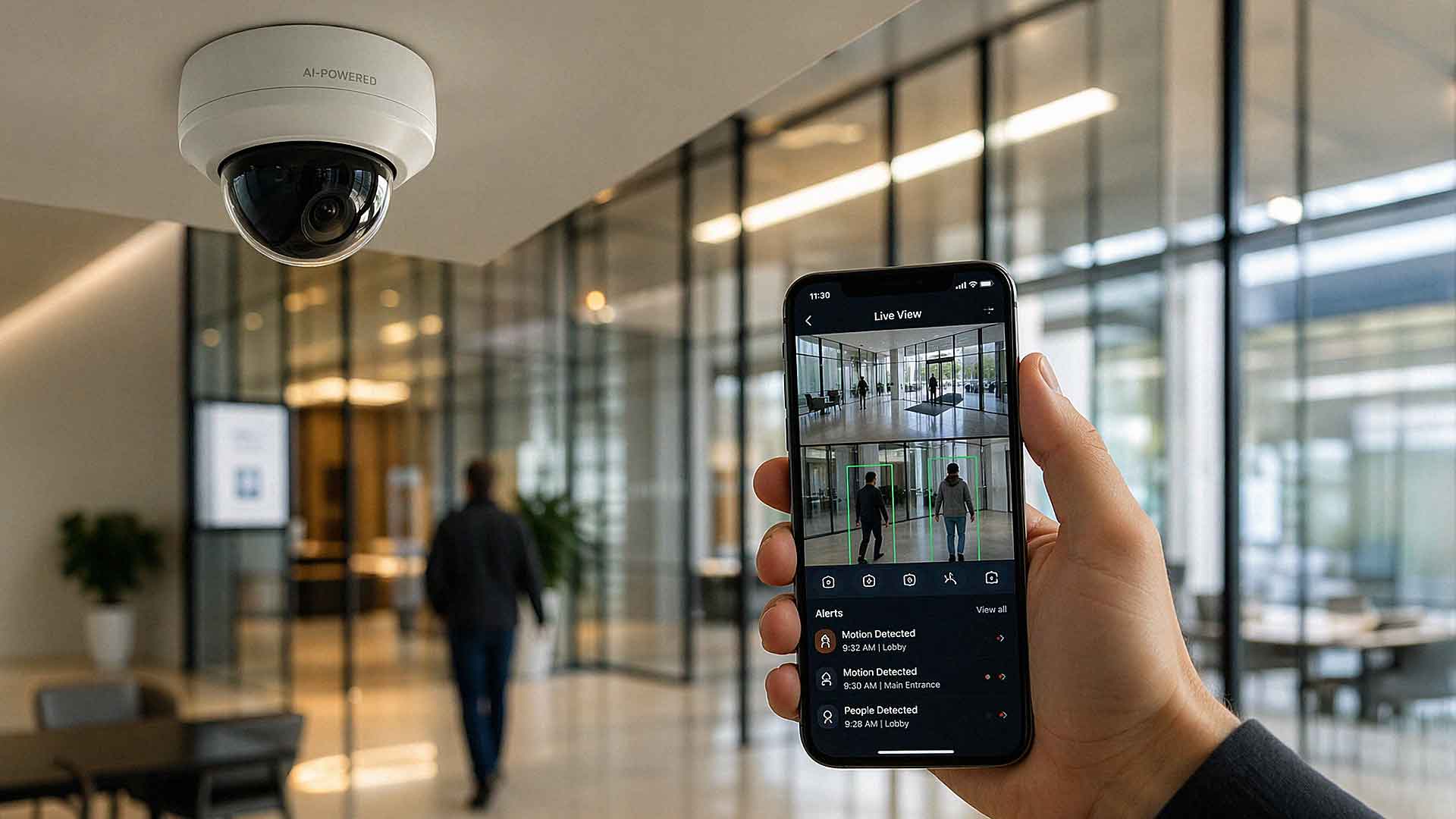
But the way most businesses think about surveillance has started to shift — and AI-powered security cameras are a big reason why. Instead of just capturing events after the fact, these systems analyze activity as it happens. They identify patterns, flag unusual behavior, and send you alerts automatically.
The real question isn't whether AI cameras are impressive. It's whether they're actually worth the investment for your business. Let's break that down honestly.
What Makes a Camera "AI-Powered"?
The term gets used loosely, so it's worth being specific.
AI-powered cameras use software — usually machine learning models — to analyze video data in real time. That software can recognize objects, identify movement patterns, and categorize activity. The key difference from traditional motion detection is selectivity.
A standard motion-triggered camera reacts to *any* movement. A person walking by. A tree branch swaying in the wind. A shadow shifting. An AI-powered system is smarter. It can distinguish between a person, a vehicle, a package left unattended, or an animal. It knows which events are worth flagging and which ones aren't.
That selectivity is what separates AI video surveillance systems from older generation cameras.
How AI Security Cameras Actually Work
AI cameras combine hardware and software in a way that older systems simply didn't
The camera captures video, and the AI software processes that footage — either directly on the device (called edge processing) or in the cloud, or sometimes both. The system then applies models to interpret what it sees.

Here are some practical examples of what that looks like in the real world:
- A person enters a restricted area after business hours → the system triggers an alert
- A vehicle lingers in your parking lot for an unusual amount of time → you get a notification
- A crowd forms near a specific location inside a retail store → the system flags the activity for review
Once an event is recognized, the system can trigger alerts, record specific clips, log the activity, or notify designated users. The business can respond in near real time instead of discovering a problem hours or days later.
Key Features That Set AI Cameras Apart
It's easy to list specs. It's more useful to explain what those specs actually do for you.
Intelligent Object Recognition
AI cameras don't just detect motion — they identify *what* moved. Most modern systems can classify people, vehicles, animals, and objects independently. This makes a meaningful difference in accuracy and response.
Dramatic Reduction in False Alarms
False alarms are one of the biggest pain points with traditional surveillance. Every unnecessary alert drains time and erodes confidence in the system. AI-powered systems significantly cut down on these by filtering out irrelevant motion before it ever reaches you.
Searchable Video Based on Events
This one alone can save hours every week. Instead of scrubbing through hours of footage manually, you can search your recordings by event type. Want to see every instance a person entered a specific door today? Search for it. Need to find when a vehicle arrived in your loading dock? You can pull that up in seconds.
Real-Time Alerts and Automated Responses
Alerts go out immediately when the system detects a configured event. Some platforms allow automated responses — locking a door, turning on lights, triggering an alarm — without requiring human intervention first.
Business Intelligence Beyond Security
This is where the technology has moved in a direction many business owners don't expect. According to the Axis Perspectives Report 2026, the number of organizations using video systems for business intelligence nearly doubled between 2024 and 2025 — jumping from 20% to 38%. That means businesses aren't just using these cameras for security anymore. They're using them to understand foot traffic patterns, optimize staffing, track how customers move through a space, and measure operational efficiency.
If you're only thinking about AI cameras as a security tool, you may be underestimating their value.
The Real Benefits of AI Video Surveillance
Here's the honest summary of where AI-powered systems deliver.
Traditional systems show you what happened. AI systems help you understand what is happening — and sometimes predict what might happen next.
That shift from reactive to proactive is where the real value lives. Businesses using AI surveillance systems commonly see improvements in:
- Incident detection and response speed — faster alerts mean faster action
- False alarm reduction — fewer unnecessary interruptions to your day
- Evidence quality — searchable, event-tagged footage is far more useful in a dispute or insurance claim
- Operational visibility — data that goes beyond security and informs business decisions
For businesses with multiple locations, remote monitoring becomes far more manageable. Instead of reviewing hours of footage from ten different properties, you get intelligent summaries and alerts that prioritize what actually matters.
Where AI Cameras Provide the Most Value
AI cameras aren't necessary for every business, and saying otherwise wouldn't be honest.
They shine in environments where activity needs to be monitored closely and where the cost of missing something is high. Think:
- Retail stores — theft detection, customer flow analysis, loss prevention
- Warehouses and distribution centers — perimeter monitoring, safety compliance, vehicle tracking
- Office buildings with multiple access points — ensuring only authorized people enter restricted areas
- Healthcare facilities — patient safety monitoring, restricted zone enforcement
- Multi-location businesses — centralized visibility without dedicated security staff at every site
- Properties with significant after-hours activity — when no one is on-site, automated detection becomes your eyes
If your business is a single small office with minimal foot traffic and low-risk assets, a basic camera system may still serve you well. But if you're managing people, inventory, access control, or compliance requirements, AI surveillance changes the equation significantly.
Cost Considerations: What You're Actually Paying For
AI-powered cameras typically cost more than traditional systems. That's true. There's no point in soft-pedaling it.
The higher cost comes from three places: more advanced hardware, software licensing fees, and cloud storage. Most enterprise-grade AI surveillance platforms — including systems like Verkada, which AIS partners with — operate on a subscription model. That means you're paying an annual or multi-year software and storage fee on top of hardware costs.
Research from Johnson Controls on total cost of ownership for video surveillance has supported the broader industry trend toward cloud-based systems, noting that while upfront costs can be higher, operational efficiency and reduced manual labor often offset that gap over time.
When evaluating cost, think about it this way: you're not only paying for recording. You're paying for analysis, automation, and improved response capability. The question is whether those capabilities matter enough to your operation to justify the difference.
For many SMBs in Las Vegas, Southern California, and surrounding regions, the answer is yes — especially when you factor in what a single undetected incident can cost in theft, liability, or downtime.
Potential Drawbacks to Consider
Honesty matters here, so let's talk about where AI camera systems can fall short.
Algorithms aren't perfect. False positives can still occur, particularly if the system isn't configured correctly for your specific environment. A poorly set-up system can generate nearly as many irrelevant alerts as a traditional motion sensor.
There's a learning curve. Staff need time to understand how to use new features, how to interpret alerts, and how to search and manage footage. Without proper training and onboarding, the technology doesn't reach its potential.
Privacy considerations are real. AI systems that analyze behavior and track individuals raise legitimate questions about privacy — especially in employee-facing environments. Make sure you understand what data is being collected, how it's stored, and what your legal obligations are in your state. In California especially, privacy compliance isn't optional.
Connectivity dependency. Cloud-based AI surveillance requires reliable internet connectivity. If your connection goes down, you may lose real-time analytics functionality. Some systems offer edge storage as a backup, but it's worth asking about this before you commit.
How to Evaluate Whether AI Cameras Are Right for Your Business
Before you make a purchasing decision, work through these questions:
1. What are you currently missing? If you've had incidents you couldn't respond to in time or couldn't find footage of, AI might close that gap.
2. How much does downtime, theft, or a missed incident actually cost you? Run the numbers before assuming the technology is too expensive.
3. Do you have the bandwidth to manage a more capable system? More capability requires more configuration and occasional management.
4. What does your current infrastructure look like? Some AI systems integrate with access control, intercoms, and building management platforms. Others don't.
5. Do you want business intelligence, or just security? If you want both, that's a strong case for AI. If you only need basic monitoring, there are more cost-effective options.
FAQ: AI-Powered Business Security Cameras
1. What's the difference between AI security cameras and regular security cameras?
Regular cameras record video and may have basic motion detection. AI cameras analyze that video in real time, recognize objects and behaviors, reduce false alarms, and allow you to search footage by event type. The core difference is intelligence — one records passively, the other interprets actively.
2. Are AI security cameras worth it for a small business?
It depends on the nature of your business. If you deal with inventory, cash, restricted access areas, or after-hours risk, the answer is often yes. If you run a low-risk single-office operation with minimal foot traffic, a traditional system may be sufficient. The key is to evaluate your specific risk profile and operational needs.
3. How much do AI security camera systems cost?
Costs vary significantly based on camera count, hardware quality, and software platform. Most AI surveillance systems involve hardware purchase plus an annual software/storage subscription. Entry-level setups for small businesses may start in the low thousands, while larger multi-location deployments can run considerably higher. A provider like AIS can give you a specific quote based on your actual environment.
4. What AI security camera platforms does AIS recommend?
AIS partners with Verkada, a leading AI-powered surveillance platform that combines hardware and cloud-based software. Verkada is known for ease of use, strong mobile access, and a robust set of AI features including person detection, license plate recognition, and crowd analytics.
5. Can AI cameras be used for business intelligence, not just security?
Yes — and this is one of the fastest-growing use cases. According to the Axis Perspectives Report 2026, organizations using video for business intelligence nearly doubled between 2024 and 2025. Businesses use AI cameras to analyze foot traffic, understand customer behavior, monitor operational workflows, and improve staffing decisions.
6. Do AI security cameras work without an internet connection?
Most AI camera systems rely on cloud connectivity for real-time analytics and remote access. Many platforms offer edge storage — meaning footage is saved locally on the camera or a local server — so you don't lose recordings during an outage. However, cloud-dependent features like real-time alerts and remote viewing may not function without a connection.

7. How do I get started evaluating AI cameras for my business?
The best starting point is a walkthrough of your environment with a security specialist. They'll assess your current setup, identify gaps, and recommend a system scaled appropriately for your needs. AIS offers free consultations for businesses in Las Vegas, Southern California, and surrounding areas.
The Bottom Line
AI-powered security cameras have matured significantly. They're no longer a niche technology reserved for enterprise-level companies with massive budgets. For many small and mid-sized businesses, the combination of smarter detection, reduced false alarms, searchable footage, and built-in business intelligence makes a strong case.
That said, they're not the right fit for every situation. The honest answer is: it depends on what you need, what you're currently missing, and how much a gap in your security coverage could cost you.
If you're trying to figure out where your business falls on that spectrum, we're here to help.
Schedule a Free Consultation — our team at AIS will walk through your current setup, talk through your specific risks, and recommend a solution that actually fits your business.
Or if you have questions and want to reach out directly, Contact AIS Today. We're local, we pick up the phone, and we've been helping businesses across Las Vegas and Southern California build smarter, more reliable security systems for years.
Topics:
