

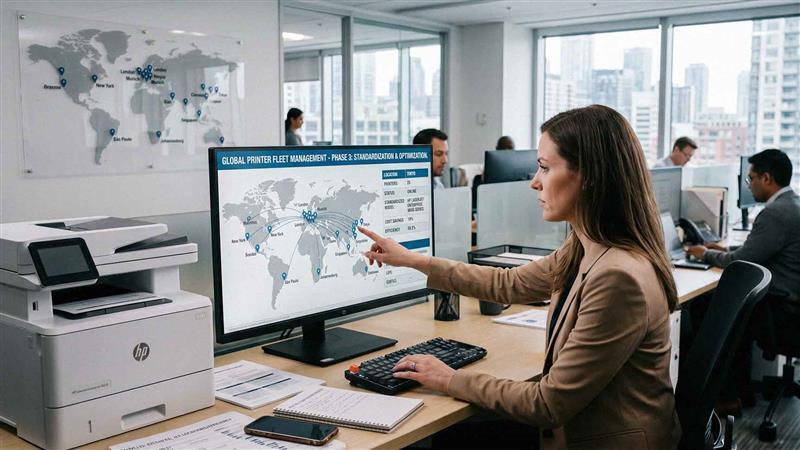
Most multi-location businesses don't plan their print environment from the start. Devices get added as needed. One office buys a printer locally. Another upgrades to a different brand. A third keeps older equipment longer than it should. Nobody makes a bad decision on purpose—it just happens one reactive purchase at a time.
Over time, that creates a real problem. You end up with:
- Multiple printer brands and models that don't share supplies or software
- An inconsistent experience for employees moving between locations
- Higher support complexity because every device behaves differently
- Inflated supply costs from buying toner and ink in small, uncoordinated batches
Without a clear strategy, managing printers across locations becomes a time drain and a budget leak. Standardizing your printer fleet solves this by creating consistency across your entire organization—from your largest office to your smallest satellite location.
Here's how to do it, step by step.
What Printer Fleet Standardization Actually Means
Printer fleet standardization means aligning your devices, configurations, and management processes across all locations. It's not about making every office look identical. It's about creating a consistent framework that reduces complexity while still meeting each location's actual needs.
That framework typically covers:
- A defined set of approved devices (not necessarily one model, but a controlled selection)
- Standardized features and capabilities across device categories
- Aligned service and support through a single provider or contract
- Centralized management so you can see and control your entire fleet from one place
The outcome is simpler operations, lower costs, and fewer headaches for your IT team and your end users.
The Real Benefits of Standardizing Your Printer Fleet
Before jumping into the steps, it's worth understanding what you're actually working toward. Standardization creates measurable improvements that show up in your budget, your support tickets, and your employees' daily experience.
Key benefits include:
- Reduced supply costs through bulk purchasing and fewer SKUs to manage
- Simplified maintenance and support with consistent device behavior across sites
- A consistent user experience so employees don't need retraining every time they visit another location
- Improved visibility into print usage through centralized reporting
- Easier onboarding and training because staff only need to learn one system
Consistency reduces complexity. Less complexity leads to lower costs and fewer issues. That's the core value proposition here.

Step 1: Audit Your Current Print Environment
You can't standardize what you don't understand. Start by documenting exactly what you have.
Your audit should capture:
- Number of devices at each location
- Device types, brands, and models
- Print volume by location (pages per month)
- Cost per print for each device
- Device age and remaining useful life
- Current supply types in use
This step often surfaces surprises—devices nobody knew existed, equipment that's wildly underutilized, or locations paying significantly more per page than others. That audit data becomes the foundation for every decision that follows.
If you're working with a managed print provider, they can often run this audit for you using remote monitoring tools. It's faster and more accurate than a manual count.
Step 2: Define Your Core Device Categories
Not every location needs the same device. A corporate headquarters has different print demands than a regional sales office. But most businesses can standardize around three to four core device categories.
A typical structure looks like this:
- High-volume multifunction copiers for central or shared areas with heavy print demand
- Mid-size multifunction devices for department-level use
- Compact desktop printers for specific individual or small team needs
- Production or wide-format devices if your workflow requires them
Defining these categories gives your organization structure. It prevents the one-off purchases that create variation and, eventually, chaos. When a new office opens or an old device needs replacing, you already know what goes there.
Step 3: Match Devices to Actual Usage by Location
Standardization doesn't mean identical setups at every site. It means applying your defined categories consistently based on actual usage patterns.
For example:
- Larger offices with high print volume get high-capacity multifunction devices
- Mid-size offices get mid-range multifunction units
- Smaller satellite or remote locations get compact, low-maintenance options
- Locations with specialized needs (legal, healthcare, design) get appropriate additions within the approved framework
This approach keeps you flexible without abandoning consistency. Every device still fits within your standardized framework—it's just sized appropriately for the location.
Step 4: Standardize Features and Capabilities
Hardware is only part of the equation. The features and configurations on those devices matter just as much.
When features are consistent across your fleet, employees can walk up to any device at any location and use it without friction. That means aligning:
- Print and scan capabilities (duplex printing, scan-to-email, scan-to-folder)
- Finishing options (stapling, hole punch, booklet creation where needed)
- User interface experience so the touchscreen layout feels familiar everywhere
- Driver and software configurations so IT doesn't need to maintain a different setup at every site
Small inconsistencies in configuration create disproportionate support headaches. Getting this right upfront saves your IT team significant time.
Step 5: Consolidate Vendors and Service Agreements
Multiple vendors mean multiple invoices, multiple support contacts, multiple SLAs to track, and multiple opportunities for things to fall through the cracks.
Consolidating to a single vendor—or at minimum, a primary vendor with a single point of accountability—lets you:
- Simplify billing with one consolidated statement
- Improve service consistency because one team knows your entire environment
- Negotiate better pricing on hardware, supplies, and service based on total fleet volume
- Streamline support with one number to call, one escalation path to follow
This is one of the highest-leverage moves in fleet standardization. Managing one provider relationship is fundamentally different from managing several, and the operational savings show up quickly.
Step 6: Implement Centralized Print Management
Once your hardware and vendors are aligned, you need visibility across the whole fleet. Centralized print management gives you that.
A good print management platform allows you to:
- Monitor print usage in real time across all locations
- Track cost per print by device, department, or location
- Manage devices remotely (firmware updates, configuration changes)
- Automatically order supplies before devices run out
- Generate reports that help you make smarter decisions over time
This kind of visibility is what separates reactive print management from proactive print management. Instead of finding out a device has been down for two days because someone finally called, you know about issues before they disrupt workflow.
Step 7: Standardize Supplies and Inventory
Different devices require different toner cartridges, drums, and maintenance kits. When your fleet has fifteen different device models, you're managing fifteen different supply chains. That's expensive and inefficient.
Standardization reduces this to a manageable number of SKUs. The benefits are straightforward:
- Fewer toner types to stock and reorder
- Simpler inventory control across locations
- Lower per-unit costs through volume purchasing
- Less risk of running out because demand is more predictable
If you're working with a managed print provider, supplies management can often be fully automated—you never place an order, toner just shows up when it's needed.
Step 8: Apply Consistent Security Policies Across All Devices
This step often gets underestimated, and that's a serious problem.
According to a 2025 Forbes Tech Council report, less than half of all IT managers consider printers to be a top priority when it comes to corporate data security. That's a significant gap—especially since modern multifunction printers are fully networked devices with hard drives, user data, and direct access to your internal systems.
A standardized fleet makes it much easier to enforce consistent security policies. That includes:
- User authentication requirements (PIN, badge, or biometric) before documents print
- Secure print release so sensitive documents don't sit in output trays uncollected
- Encrypted data transmission between devices and your network
- Automatic hard drive wiping at end of device life
- Consistent firmware update schedules to close vulnerabilities across all devices
When every device runs the same security configuration, audits are simpler, compliance is easier to demonstrate, and your attack surface shrinks considerably.
Step 9: Train Employees and Communicate the Changes
Even the best standardization plan falls flat if employees don't know how to use the new setup or why things changed.
Keep training simple and practical:
- Create short how-to guides for common tasks (scan to email, secure print release, ordering supplies)
- Set up brief training sessions when new devices are deployed
- Identify a point person at each location who can answer basic questions
- Communicate the "why" behind the changes so staff understand the benefits, not just the new rules
The user experience piece matters more than most IT teams expect. When employees find new devices intuitive and consistent, adoption is fast and complaints are minimal.
Step 10: Build a Refresh and Review Cycle
Standardization isn't a one-time project. It's an ongoing practice.
Build a regular review cycle into your management process:
- Annual fleet audit to catch devices that have drifted outside your standard framework
- Device refresh planning so aging equipment gets replaced on a schedule, not in a crisis
- Vendor performance reviews to make sure your service agreements are still delivering value
- Usage reporting reviews to identify locations where needs have changed
The businesses that manage this well treat their print environment like any other managed asset class. It gets reviewed, updated, and optimized on a regular schedule.
Frequently Asked Questions About Printer Fleet Standardization
How long does it take to standardize a printer fleet across multiple locations?
It depends on the size of your fleet and how varied your current environment is. For a business with five to ten locations and a mixed fleet, expect the process to take three to six months from audit to full implementation. Larger fleets with more complexity can take longer. Working with an experienced managed print provider can compress that timeline significantly.
Do we have to replace all our existing printers at once?
No. Most businesses phase in standardization over time, replacing devices as they reach end of life rather than replacing everything at once. You can start by standardizing policies, configurations, and vendor agreements immediately while hardware transitions happen on a natural refresh schedule.
What's the difference between managed print services and printer fleet standardization?
Fleet standardization is the strategy—aligning your devices, features, and management processes. Managed print services (MPS) is a service model where a provider handles the day-to-day management of your fleet, including monitoring, supplies, and maintenance. You can standardize without MPS, but MPS makes standardization significantly easier to maintain over time.
How much can we realistically save by standardizing our printer fleet?
Savings vary by organization, but businesses that move from a fragmented fleet to a standardized one typically see 20–30% reductions in print-related costs. Those savings come from lower supply costs, reduced downtime, consolidated service agreements, and improved device utilization.
Is printer security really that big a concern for small and mid-size businesses?
Yes—and it's often underestimated. Modern multifunction printers store document data, connect to your internal network, and can be accessed remotely. A misconfigured or unpatched device is a real security risk. A 2025 Forbes Tech Council report found that fewer than half of IT managers prioritize printer security, which means most organizations have meaningful gaps. Standardizing security policies across your fleet is one of the most effective ways to close them.
What brands work best for multi-location fleet standardization?
Xerox and Kyocera are both strong choices for multi-location environments. Both offer broad device portfolios that scale from compact desktop units to high-volume production copiers, and both have robust fleet management tools. The right brand often comes down to your specific workflow needs and your service provider's expertise. At AIS, we work with both and can help you identify the best fit for your environment.

Can we standardize our fleet if we have locations in different states or regions?
Absolutely. In fact, standardization delivers some of its biggest benefits in multi-state environments where inconsistency is hardest to manage. Centralized management platforms let you monitor and control devices regardless of geography. Service coverage is the key variable—make sure your provider can support all your locations with consistent response times before committing to a fleet-wide agreement.
The Bottom Line on Printer Fleet Standardization
A fragmented printer fleet is a slow, quiet drain on your organization. It's rarely dramatic enough to trigger an immediate response, but over time it costs you in support hours, supply inefficiency, security exposure, and employee frustration.
Standardizing your fleet changes that. It turns a reactive, location-by-location problem into a managed, organization-wide asset. You get better visibility, lower costs, stronger security, and a print environment that actually supports your team instead of burdening them.
If you're not sure where to start, a fleet audit is the right first move. It gives you the data you need to make smart decisions—and often reveals savings opportunities you didn't know existed.
Ready to see what standardization could look like for your organization?
Schedule a Free Consultation — our team will walk you through a no-pressure assessment of your current print environment and show you what a standardized fleet could look like for your locations.
Or if you have questions right now, contact AIS today. We've helped businesses across Las Vegas, Southern California, and surrounding regions build smarter, more efficient print environments—and we're happy to help you do the same.
