

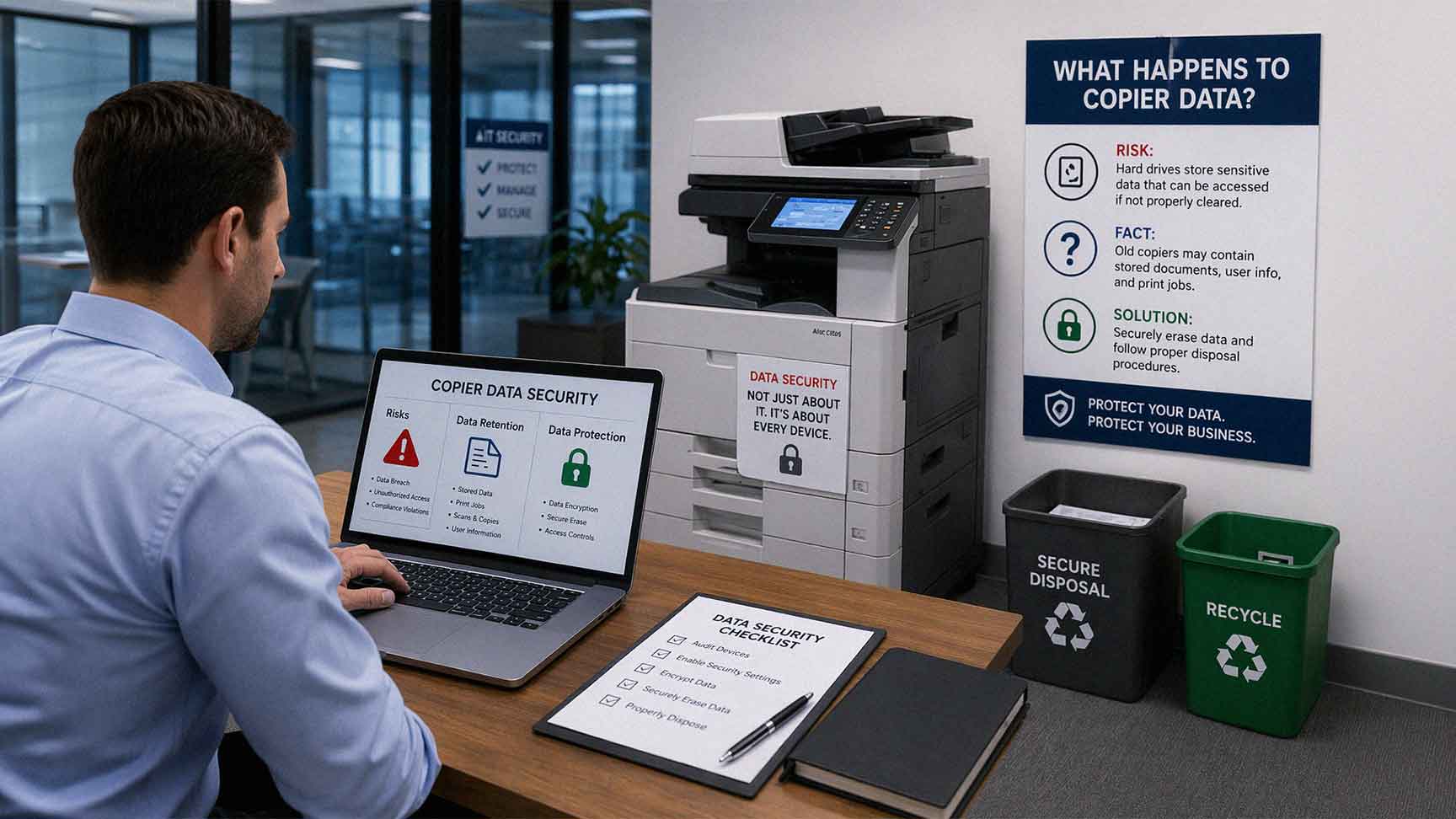
Most businesses do a decent job protecting laptops, servers, and cloud systems. There are policies, checklists, and IT protocols built around those devices. Office copiers, though? They rarely make that list. And that gap creates real risk.
Modern office copiers are not simple machines. They function more like computers. They process, store, and transmit data every single day. Every scan, copy, or print job may leave behind a digital trace. When a copier is replaced or returned at the end of a lease, that data does not automatically disappear.
If nothing is done, sensitive business information can walk right out of your office with the device.
Do Office Copiers Really Store Data?
Yes — and this is where most businesses are caught off guard.
Multifunction printers (MFPs) often include internal hard drives or solid-state storage components. These help the device process jobs faster, manage print queues, and handle complex workflows. In doing so, they temporarily — and sometimes permanently — store data.
That data can include scanned files, print job images, cached documents, stored contact lists, and even login credentials for network folders or email accounts.
Many organizations assume documents pass through the copier and vanish. That is not always the case. Depending on the device model and how it is configured, stored data can linger long after the job is done.
What makes this especially tricky is that IT professionals often overlook it. According to a TechRepublic-cited Spiceworks survey, only 30% of IT professionals recognize printers as a high-security risk — even as awareness of other endpoint vulnerabilities has grown significantly. Printers and copiers continue to hide in a security blind spot, with the majority running under-protected.
What Kind of Data Is Actually at Risk?
Think about what moves through your office copier on a typical Tuesday.
Contracts. Payroll documents. Client agreements. HR files. Financial statements. Medical records, if you work in healthcare. Legal briefs, if you work in law.
All of that moves through your copier, and some of it stays there.
Specifically, your copier may be holding:
- Scanned document images stored during processing
- Print job data cached before or after printing
- Copies of faxes sent or received through the device
- Stored email addresses and contact directories
- Network credentials used to connect the device to shared folders
- Workflow templates that contain embedded file paths or user data
Even if stored temporarily, this data can remain accessible depending on device configuration, firmware version, and whether any data overwrite settings are enabled. Two businesses using the same copier model can have very different risk levels based on how the device was set up.

What Happens When a Copier Leaves Your Office?
At some point, every office copier is replaced. It happens when a lease ends, when the device breaks down, or when your business upgrades to a newer model.
When that moment comes, the device usually goes one of three directions:
1. Returned to the leasing company
2. Sold or traded in
3. Sent to a recycling facility
In most cases, the focus is entirely on logistics. Disconnect the cables, schedule the pickup, install the new machine. The data inside the old device is almost never part of that conversation.
If the hard drive is not wiped or physically destroyed before the device changes hands, the next owner may have access to everything that was left behind. That includes whoever picks it up at the recycling center.
This Is Not a Theoretical Risk
There have been documented cases where copier hard drives were recovered after sale or disposal — and the data on them was accessed without any sophisticated tools. Recovered information has included sensitive business documents, employee records, medical files, and financial data.
This is not the result of hacking. It happens because no one removed the data before the device left the building. That is what makes this risk both easy to overlook and easy to prevent.
The problem is largely invisible until something goes wrong. By then, the data has already left your control.
Why Copier Data Gets Overlooked
Office copiers do not feel like data storage devices. They sit in the corner. They handle print jobs. They get attention when something breaks or when toner runs out. That perception creates blind spots.
In most organizations:
- No one is assigned responsibility for copier data security
- Copiers are not included in data protection or IT security policies
- There is no documented end-of-life process for print devices
- The device is treated as office furniture, not as a data endpoint
That mindset is the root of the problem. Without a clear process, data protection simply does not happen when the device is decommissioned.
How Copier Hard Drives Actually Work
Most multifunction copiers use internal storage to improve performance and handle complex jobs. Here is what typically happens:
When you send a print job, the device may store the file temporarily before printing begins. When you scan a document, it may save a copy during processing or before routing it to an email address or network folder. Some devices automatically overwrite this stored data after each job. Others retain it far longer than you would expect.
The behavior depends on the device model, the firmware version, and how the machine was configured when it was installed. Many businesses never adjust the default settings — which means they are often relying on whatever the manufacturer shipped, which is not always the most secure configuration.
This is why security should not begin the day a copier is retired. It should be part of the setup from day one.
he Real Risks of Leaving Data on Copiers
Leaving data on an old copier creates exposure. That exposure can lead to:
- Unauthorized access to sensitive documents by whoever receives the device next
- Data breaches involving client records, employee information, or financial data
- Compliance violations in regulated industries like healthcare (HIPAA), finance (GLBA), and legal services
- Loss of client trust if sensitive information is ever traced back to a decommissioned device
- Legal liability depending on your industry and the nature of the data exposed
Any device that stores data must be properly sanitized before disposal or reuse. Office copiers fall squarely into that category, and most businesses are not treating them that way.
How to Protect Data While the Copier Is Still in Use
Security should not start at the end of the copier's life. Here is what you can do while the device is still active in your office:
Enable Hard Drive Encryption
Most modern copiers support encryption for stored data. If this is not enabled on your devices, it should be. Encryption ensures that even if the hard drive is removed and accessed by someone else, the data is unreadable without the proper key.
Use Automatic Data Overwrite Settings
Many multifunction copiers include a setting that automatically overwrites stored job data after each print, scan, or copy cycle. This limits how long data lingers on the device. Check your device settings or contact your vendor to confirm whether this feature is active.
Restrict Access with User Authentication
Require users to authenticate before releasing print jobs or accessing scan functions. PIN codes, badge readers, and mobile authentication options are all available on modern MFPs. This limits who can access the device and what they can retrieve from it.
Include Copiers in Your IT Security Policy
Your security policy should explicitly name print devices as data endpoints. Define who is responsible for copier security, what settings must be configured, and what the end-of-life process looks like for each device.
What to Do When a Copier Is Retired
When a copier reaches the end of its life — whether through lease return, trade-in, or disposal — here is what should happen before it leaves your office:
1. Request a hard drive wipe from your vendor or service provider. This should use a certified data erasure method that meets recognized standards.
2. Request documentation confirming the wipe was performed. This matters for compliance and audit purposes.
3. Consider physical hard drive destruction if the data is especially sensitive. Some vendors offer this as an option.
4. Review your lease agreement ahead of time to understand what data security responsibilities are included — and what is left to you.
If your current vendor does not have a clear answer when you ask about hard drive sanitization, that is a problem worth addressing before the next device comes off lease.
How AIS Helps Businesses Manage Copier Data Security
At AIS, we work with businesses across Las Vegas, Southern California, and surrounding regions to make sure print devices are not a liability. That means proper configuration from the start, secure end-of-life handling when devices are retired, and account managers who can answer these questions before they become problems.
Our copier and printer solutions — including Xerox, Kyocera, and HP devices — are configured with security in mind. We do not just drop off equipment and walk away. We stay involved because our average client relationship runs over seven years. We want your devices to be secure for as long as they are in your office, and we want the transition out to be just as clean.
If you are unsure whether your current copiers are configured correctly, or if a lease return is coming up and you have not thought about what happens to the data, now is a good time to have that conversation.
Frequently Asked Questions About Copier Data Security
Do all office copiers store data?
Not every copier has a hard drive, but most modern multifunction printers do. Even devices without traditional hard drives may use flash memory or solid-state storage that retains job data. If your copier scans, emails, or faxes documents, there is a good chance it is storing some form of that data.
How long does data stay on a copier's hard drive?
It depends on the device and its configuration. Some copiers automatically overwrite stored job data after each cycle. Others retain it until the drive is full or the device is wiped. Without checking your specific settings, you cannot assume the data is being cleared.
What happens to copier data at the end of a lease?
Unless specific steps are taken, the data stays on the device. When the leasing company picks it up, that data goes with it. Some leasing agreements include hard drive wiping as part of the return process — but many do not. You should confirm this in writing before the device leaves your office.
Is copier data security a compliance issue?
Yes, in many industries it is. Healthcare organizations must meet HIPAA requirements for protecting patient information, which extends to any device that stores or transmits that data. Financial services firms face similar requirements under regulations like GLBA. If your copier holds regulated data and is not properly sanitized before disposal, you may be in violation.

Can I request that the hard drive be destroyed instead of wiped?
Yes. Physical destruction of the hard drive is an option, particularly for organizations handling highly sensitive data. Some vendors and third-party data destruction services offer this, and they can provide a certificate of destruction for your records.
What settings should I check on my current copiers?
The most important settings to review are hard drive encryption, automatic data overwrite, and user authentication requirements. Your copier vendor or IT support team should be able to walk you through these settings and confirm whether they are enabled.
Does AIS handle copier data wiping when devices are returned or replaced?
Yes. When you work with AIS, end-of-life handling is part of the conversation, not an afterthought. We help businesses plan for secure device transitions and can walk you through what happens to your data before any device leaves your office.
Your Copier Is a Data Endpoint — Treat It Like One
The security gap around office copiers is real, it is common, and it is fixable. The businesses most at risk are the ones that have never thought about it — not because they are careless, but because no one ever told them to.
Now you know.
If you want to make sure your current devices are configured correctly, or if you have an upcoming lease return and want to handle it the right way, we are here to help.
Schedule a Free Consultation and talk with an AIS account manager about your print environment and data security needs.
Prefer to reach out directly? Contact AIS Today and we will get back to you fast.
