

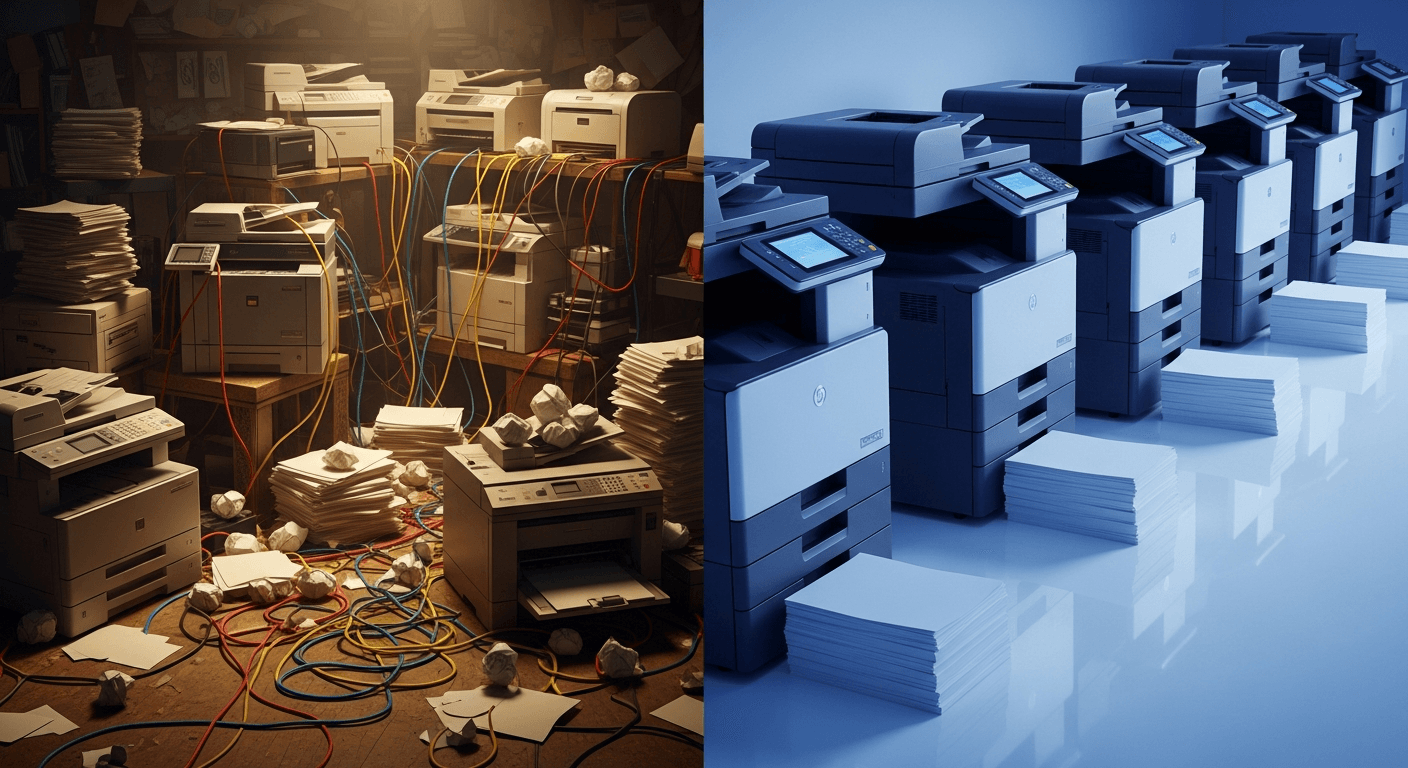
Printer fleet standardization means aligning your devices, configurations, supply chains, and support processes across all locations under a defined, consistent framework. It does not require every office to run identical hardware. It requires a controlled selection of approved devices, uniform configuration standards, centralized visibility, and a single management structure so that no location operates as its own print island.
Most multi-location businesses never make a single bad decision that creates a fragmented fleet. The fragmentation builds slowly — one local purchase here, one emergency upgrade there, one aging device nobody replaced on time. The result is a mix of brands, models, and toner types that share nothing: not supplies, not software, not support workflows.
Standardization reverses that pattern with a repeatable framework instead of reactive decisions.
What are the measurable benefits of standardizing a printer fleet?
Standardization reduces supply costs, shortens IT support time, and creates a consistent user experience across every location. Organizations that standardize their fleet typically consolidate to fewer toner SKUs, reduce the number of service contracts in play, and give IT teams a single management interface rather than multiple brand-specific portals.
Specific benefits include:
- Supply consolidation: Fewer toner and drum cartridge variants means higher-volume purchasing at lower per-unit cost
- Faster IT resolution: Technicians learn one or two device families instead of troubleshooting six different platforms
- Predictable budgeting: Standardized devices on a single contract produce consistent, forecastable print costs
- Shorter onboarding time: Employees transferring between locations already know the equipment
- Centralized reporting: One dashboard shows usage, alerts, and supply levels across all sites
According to Ricoh, standardizing printer models simplifies purchasing, streamlines maintenance, and shortens training time for both IT teams and end users. That efficiency compounds across every location added to the organization.

How do you assess your current printer fleet before standardizing?
A fleet assessment documents every active device across all locations, capturing model, age, monthly volume, supply type, and support contract status. You cannot build a standardization plan without knowing what you currently have and what each device is actually being used for.
A complete fleet audit captures:
- Device inventory: Make, model, serial number, and physical location for every printer and copier
- Age and condition: Devices past their rated duty cycle or manufacturer support window are standardization candidates
- Monthly print volume: Actual page output per device, not estimates — most fleet management software pulls this automatically
- Supply types in use: How many unique toner or ink SKUs are currently being purchased across all locations
- Support contracts: Which devices are covered, by whom, and when those contracts expire
- User-to-device ratios: Whether each location is over- or under-equipped for its actual workload
This data reveals where the biggest inconsistencies exist and which locations will require the most change during implementation.
What steps are involved in implementing a printer fleet standardization strategy?
Implementing a standardization strategy follows six sequential steps: audit the current fleet, define device categories, select approved models, build a replacement timeline, configure and deploy, and establish ongoing management processes. Skipping the audit phase is the most common reason standardization projects fail — decisions made without accurate baseline data produce a framework that does not match actual operational needs.
Step 1: Complete the fleet audit
Run a full inventory as described above. Use print management software or a managed print provider to pull accurate volume and supply data from every active device.
Step 2: Define your device categories
Most organizations need two to three device categories rather than one universal model. Common categories include:
- Desktop personal printer: Low-volume individual use, typically 500 pages or fewer per month
- Departmental multifunction printer (MFP): Shared device for a team or floor, handling 2,000 to 10,000 pages per month with copy, scan, and fax capability
- Production or high-volume MFP: High-output device for locations with sustained print demands above 10,000 pages per month
Defining categories prevents the mistake of forcing one device type onto locations with genuinely different workloads.
Step 3: Select approved models within each category
Choose one or two approved models per category from a single manufacturer or a tightly controlled shortlist. Selection criteria should include:
- Supply chain stability and toner availability
- Driver compatibility with your existing operating systems
- Security features (discussed in detail below)
- Service provider support in every geography you operate
- Total cost of ownership over a standard replacement cycle, typically 48 to 60 months
Step 4: Build a phased replacement timeline
Replace devices by priority: highest-cost, oldest, and most problematic devices first. A phased approach spreads capital cost, prevents operational disruption, and allows IT teams to test deployment processes before scaling them across all locations.
Step 5: Configure and deploy consistently
Every device of the same category should leave deployment with identical settings: default duplex printing, secure print release enabled, network authentication configured, and firmware updated to the current version. Document the standard configuration so every future deployment matches it.
Step 6: Establish centralized management and reporting
Assign one platform — either your managed print provider's portal or an in-house print management application — to monitor all devices. Set automated alerts for supply levels and service needs so no location manages its own reactive ordering.
How does standardization impact printing costs?
Standardization reduces total print costs by consolidating supply purchasing, eliminating redundant service contracts, and right-sizing devices to actual usage. Organizations that manage printers reactively typically pay 20 to 30 percent more per page than organizations running a managed, standardized fleet, according to industry benchmarks from managed print providers.
Cost reductions occur across several categories:
- Toner and supplies: Consolidating to two or three SKUs across all locations enables volume purchasing agreements and eliminates small-batch emergency orders
- Service labor: Technicians familiar with a single device family resolve issues faster, reducing billable repair time
- Energy consumption: Standardizing to current-generation devices with Energy Star certification reduces per-device power draw compared to aging mixed fleets
- Paper waste: Default duplex settings applied consistently across a standardized fleet can reduce paper consumption by 30 to 50 percent in organizations that previously had inconsistent defaults
A right-sized fleet — where devices are matched to actual workload rather than historical habit — further reduces cost by eliminating underutilized machines consuming supplies and energy without proportional output.
What security considerations apply to a standardized printer fleet?
A standardized fleet creates a consistent security baseline, but only if security configurations are built into the deployment standard rather than applied inconsistently after the fact. Printers are network-connected endpoints that store data in onboard memory and transmit documents across the network, making them subject to the same security requirements as computers and servers.
Security features that should be standardized across every deployed device include:
- Secure print release: Documents are held in a queue and released only when the user authenticates at the device, preventing uncollected documents from sitting in output trays
- Network authentication: Devices should require user login, enabling per-user print logging and access control
- Encryption: Data in transit between computers and printers should be encrypted; look for devices supporting TLS 1.2 or higher
- Hard drive overwrite: Devices with onboard storage should be configured to automatically overwrite stored job data after each session
- Firmware update management: All devices should run current firmware; centralized management platforms can push updates across the fleet simultaneously
- End-of-life data wiping: When a device is retired or returned at the end of a lease, the hard drive must be wiped or physically destroyed before the device leaves your control
Standardization makes security auditing more practical. When every device in a category shares the same configuration, verifying compliance across all locations becomes a repeatable check rather than a location-by-location investigation.
How does printer fleet standardization support sustainability goals?
A standardized fleet reduces energy consumption, paper waste, and electronic waste compared to unmanaged mixed fleets. These outcomes align with environmental reporting requirements that many organizations face from customers, investors, or regulatory bodies.
Specific environmental benefits include:
- Lower energy use: Replacing older devices with standardized current-generation hardware reduces per-device energy consumption; modern MFPs consume significantly less power in standby mode than devices manufactured before 2015
- Reduced paper consumption: Uniform duplex-by-default settings applied across all locations cut paper use in a way that inconsistent, location-by-location settings cannot achieve at scale
- Fewer cartridges disposed: Consolidating to fewer toner SKUs and enabling usage-based supply ordering reduces over-ordering and cartridge waste
- Longer device lifecycles through proactive maintenance: Devices on a managed service agreement with regular maintenance typically last longer than devices serviced only after failure, reducing the frequency of hardware disposal
- Simplified e-waste tracking: A standardized fleet with documented asset records makes end-of-life device disposal easier to track and route through certified e-waste channels
Organizations using managed print services can typically access fleet-level environmental reporting — total pages printed, paper consumed, and energy used — which supports sustainability disclosures that ad-hoc fleet management cannot produce.

How do you manage the organizational change that comes with fleet standardization?
Change management for printer fleet standardization requires clear communication about what is changing and why, structured training on new devices, and a phased rollout that does not displace multiple locations simultaneously. The most common reason employees resist standardization is not the technology itself — it is the absence of explanation and the perception that familiar tools are being removed without benefit.
Practical change management steps include:
- Communicate before deployment: Explain what devices are being replaced, what the new devices do, and what the timeline looks like — location by location, not as a single organization-wide announcement
- Identify location-level contacts: Designate one person per location to serve as the first point of contact for questions and to relay feedback during deployment
- Provide device-specific training: Brief, role-appropriate training — especially for scan workflows and secure print release — reduces help desk tickets in the weeks following deployment
- Set a feedback window: Give each location 30 days post-deployment to surface issues before moving to the next site; problems found early in the rollout can be corrected before they propagate
- Document the standard: Publish the approved device list, configuration standard, and support contact process so any future hire or new location has a reference point
Employee resistance to standardization drops significantly when the transition is communicated as a reduction in daily friction — fewer supply ordering calls, consistent equipment across offices, and faster support response — rather than as a cost-cutting exercise.
What are the best practices for managing a standardized fleet long-term?
Long-term fleet management requires scheduled reviews, proactive supply monitoring, and a defined replacement cycle. Standardization is not a one-time project. Without ongoing governance, approved device lists go stale, locations make unauthorized purchases, and the fragmentation that standardization corrected begins to return.
Best practices for ongoing management include:
- Annual fleet review: Reassess device-to-user ratios, volume trends, and device age each year to identify candidates for replacement or redeployment
- Centralized supply management: Use automated supply monitoring so toner is ordered based on actual usage data, not by employees calling in when a cartridge runs out
- Enforce the approved device list: Require IT or operations approval for any new print device purchase; one unauthorized purchase is the beginning of a new fragmentation cycle
- Align replacement cycles to contract terms: Schedule device replacements to coincide with lease or service contract end dates to avoid early termination costs
- Review the vendor relationship: If your managed print provider or copier dealer is not delivering consistent service response times across all locations, that gap is worth addressing at contract review rather than tolerating location by location
A standardized fleet managed with consistent processes produces lower costs, fewer support escalations, and more predictable capital planning than any combination of individually managed devices — regardless of how many locations your organization operates.
